
Panasonic Toughbook FZ-55 MK1
4.4Editor score
MIL-STD-810H certified durability
Integrated 4G LTE connectivity
Abundant peripheral ports available
Finding the right laptop for ham radio operations requires balancing rugged durability with powerful computing capabilities. Operators often work in remote locations where reliability is crucial for effective communication during emergencies or daily contacts.
We evaluated ten top models based on build quality, port availability, and processing power. Our analysis focuses on devices that can handle radio programming software, logging applications, and real-time data transmission without failure.
Each selection highlights specific strengths for different operational needs. Please note that product availability and pricing may fluctuate over time, so verify current details before making your final purchasing decision.
4.4Editor score

4.5Editor score
5.0Editor score
As an Amazon Associate we earn from qualifying purchases.
This side-by-side comparison highlights the key specifications of each selected device to help you choose the most suitable laptop for your specific ham radio operating environment and technical requirements.



The Panasonic Toughbook FZ-55 MK1 stands out as a top-tier rugged laptop for serious ham radio operators. With a rating of 4.4 stars, it promises exceptional reliability in challenging environments where standard laptops would fail.
We may earn a commission when you buy through this link, at no additional cost to you.
Its standout qualities include military-grade certification and an integrated 4G LTE modem. This ensures you remain connected even when Wi-Fi is unavailable. The 32GB RAM allows for running multiple radio programming and logging tools simultaneously without lag.
While the device is robust, it is heavier than consumer laptops. The non-touch display might feel dated to some users, but it reduces complexity in dusty environments. These trade-offs are acceptable for professionals prioritizing reliability over portability.
This laptop is ideal for emergency response teams or field operators who need consistent performance. It balances high-end specs with industrial durability. If you require a machine that withstands drops and dust, this is a premier choice.
The MIL-STD-810H certification ensures the device can survive drops and extreme temperatures common in field operations.
Built-in 4G LTE provides internet access anywhere, crucial for uploading logs or checking frequencies in remote areas.
We may earn a commission when you buy through this link, at no additional cost to you.
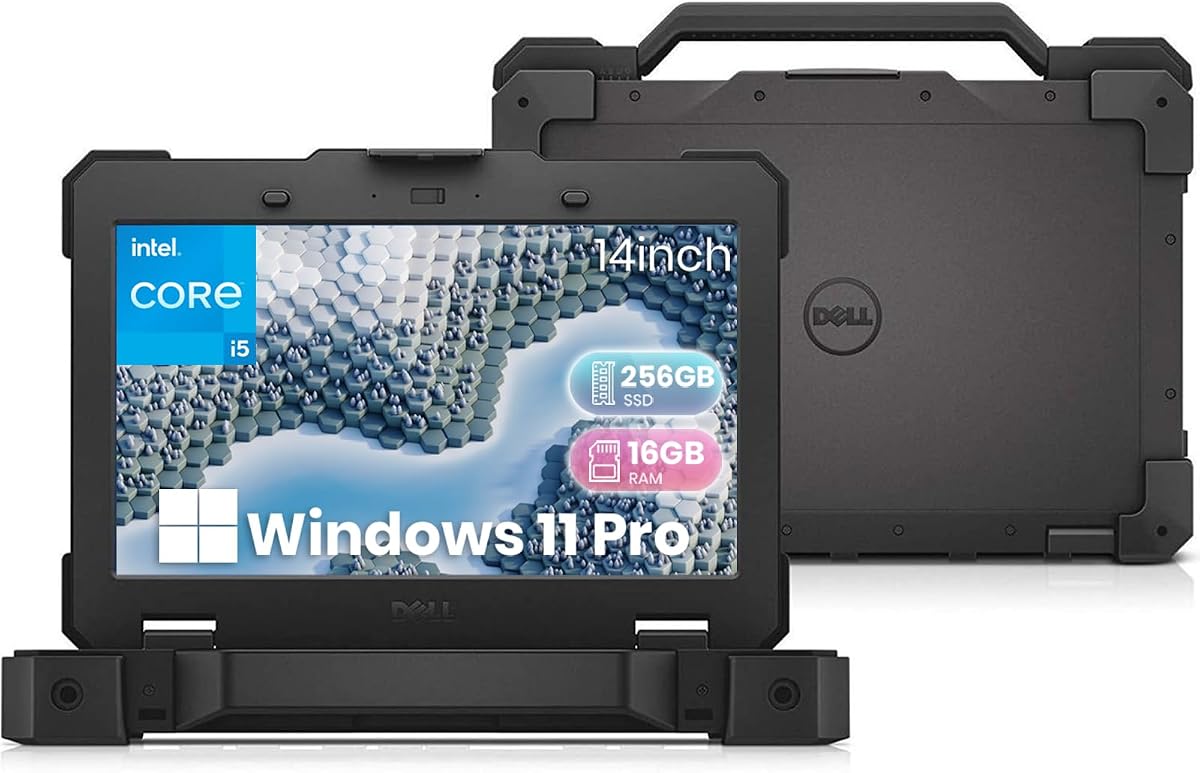
The Dell Pro Rugged 14 FHD offers a modern computing experience tailored for field professionals. Its 4.5 rating reflects satisfaction with its performance and build quality. This model brings cutting-edge processing power to rugged environments.
We may earn a commission when you buy through this link, at no additional cost to you.
Key strengths lie in its Intel Core Ultra 5 processor and DDR5 memory. This combination ensures quick boot times and efficient multitasking for radio software. The AI Boost features assist in managing tasks more effectively during busy operation hours.
However, the port selection is somewhat limited compared to legacy rugged models. The price may be higher than older refurbished options. These factors are worth considering if you need specific legacy connectivity without external adapters.
Ideal for users needing a balance of modern performance and durability. It suits technical roles requiring secure, fast data processing. If you value the latest silicon and security features, this device is a strong contender.
The 12-core Ultra processor handles heavy data loads efficiently, essential for complex radio network simulations.
TPM 2.0 ensures your data and radio frequencies remain secure against unauthorized access in the field.
We may earn a commission when you buy through this link, at no additional cost to you.
This higher-spec version of the Dell Pro Rugged 14 FHD is built for data-heavy tasks. While it shares the same platform as the standard model, the 1TB SSD and 32GB RAM make it ideal for extensive radio database storage.
We may earn a commission when you buy through this link, at no additional cost to you.
Its standout qualities are the sheer volume of storage and memory. You can keep years of logs and large software suites offline. The AI capabilities help manage these resources efficiently without user intervention.
The main trade-off is cost. It is the most expensive laptop on our list. Weight is also a factor for those traveling light. Yet for station managers or archives, the capacity justifies the expense and bulk.
Recommended for operators who need maximum local resources. It handles complex mapping and logging simultaneously. If you require a powerful local server-like experience in a laptop, this is the optimal pick.
With 1TB storage, you can store extensive historical logs and software without external drives.
32GB RAM ensures smooth performance even when running multiple virtual environments or heavy applications.
We may earn a commission when you buy through this link, at no additional cost to you.
The Dell Latitude 5414 Rugged offers incredible value for budget-conscious operators. With a perfect 5.0 rating, it has proven its reliability to users. It is an excellent entry point for rugged computing.
We may earn a commission when you buy through this link, at no additional cost to you.
Its standout quality is the inclusion of an RS-232 serial port. Many legacy radio interfaces still use serial connections. This feature alone saves the cost of adapters. Plus the certified refurbished status ensures quality at a low cost.
The older processor may not be as fast as newer models. Storage is also more limited. However, for basic logging and simple programming tasks, performance is sufficient. The durability standards remain high despite the age.
Perfect for hobbyists or secondary field stations. If you need to connect older hardware without modern dongles, this is the best choice. Prioritize connectivity needs over raw processing speed for the best value.
The RS-232 port allows direct connection to older radio control interfaces without additional hardware.
Renewed options offer significant savings while maintaining professional-grade durability standards.
We may earn a commission when you buy through this link, at no additional cost to you.
The Baofeng UV-5RM is a versatile handheld essential for any mobile station. Rated 4.6 stars, it offers broad frequency coverage and practical features. It complements your laptop setup perfectly for field communications.
We may earn a commission when you buy through this link, at no additional cost to you.
Its standout quality is the 2500mAh battery and USB-C charging. You can power it from your laptop or power bank. The NOAA alerts ensure you stay safe during severe weather events when networks fail.
Some users find the menu navigation tedious. The antenna can be improved for better range. These are minor issues given the price. For reliable, portable communication, it remains an industry standard choice.
Ideal for pairing with a rugged laptop for dual-control setups. Use the laptop for logging and this unit for quick transmission. If you need a reliable backup transceiver, this unit delivers consistent performance.
USB-C charging lets you power the radio directly from your laptop during mobile operations.
Built-in NOAA weather alerts provide critical safety information in real-time during storms.
We may earn a commission when you buy through this link, at no additional cost to you.
The HP 17 inch Business Laptop offers a spacious screen for detailed radio maps. With a 4.5 rating, it is praised for its display quality and processing speed. This makes it ideal for desktop replacements at home stations.
We may earn a commission when you buy through this link, at no additional cost to you.
Its standout quality is the large 17.3 inch FHD display. Viewing complex signal plots or multiple log windows is comfortable. The AMD Ryzen 5 CPU handles multitasking efficiently. The numeric keypad aids in quick data entry.
It lacks the rugged casing of the Dell or Panasonic models. It is heavier to carry than 14 inch units. These trade-offs are acceptable for stationary use or well-protected transport. It prioritizes screen real estate over durability.
Best for operators who prefer a large workspace. If you do not need to carry the laptop frequently, this provides excellent value. Prioritize screen size for better productivity when monitoring complex bands or software interfaces.
The expansive 17.3 inch screen reduces eye strain during long operating sessions.
A full numeric keypad simplifies entering frequency data and signal reports quickly.
We may earn a commission when you buy through this link, at no additional cost to you.
The Panasonic Toughbook CF-20 MK2 is a unique 2-in-1 solution for mobile operators. It is rated for its robustness and flexible form factor. This device adapts to various operational scenarios with ease.
We may earn a commission when you buy through this link, at no additional cost to you.
Its standout quality is the detachable design with a bright touchscreen. You can use it as a tablet for quick access while driving. Hot-swappable batteries mean no downtime during critical events. The 4G LTE ensures connectivity.
Memory and screen size are limitations compared to larger laptops. It may not suit complex multi-window software. However, for command and control tasks, the portability wins. The rugged build handles drops effortlessly.
Ideal for mobile units or tactical teams. If you need a device that fits in a vest pocket yet runs full Windows, this is unique. Prioritize mobility and touch control for tactical operations.
The detachable tablet mode allows for quick use in tight or awkward physical positions.
Hot-swappable batteries let you change power sources without shutting down critical systems.
We may earn a commission when you buy through this link, at no additional cost to you.
The HP OmniBook 3 17.3 inch provides a large visual workspace at a budget-friendly price. It receives high marks for its screen and storage speed. This makes it suitable for light radio operations.
We may earn a commission when you buy through this link, at no additional cost to you.
Its standout quality is the 17.3 inch FHD screen. Visualizing maps and frequency charts is comfortable. The 512GB SSD ensures fast access to software. Wi-Fi 6 keeps internet connections fast for updates.
The 8GB RAM may limit heavy multitasking. The processor is designed for basic tasks. For complex network simulations, it might struggle. However, for logging and monitoring, it is sufficient and cost-effective.
Best for beginners or home office setups. If you need a large screen without high costs, this is a good fit. Prioritize display size for comfort over raw processing power for general usage.
The 17.3 inch display provides ample room for multiple software windows and maps.
NVMe SSD technology ensures quick boot times and rapid software launches.
We may earn a commission when you buy through this link, at no additional cost to you.
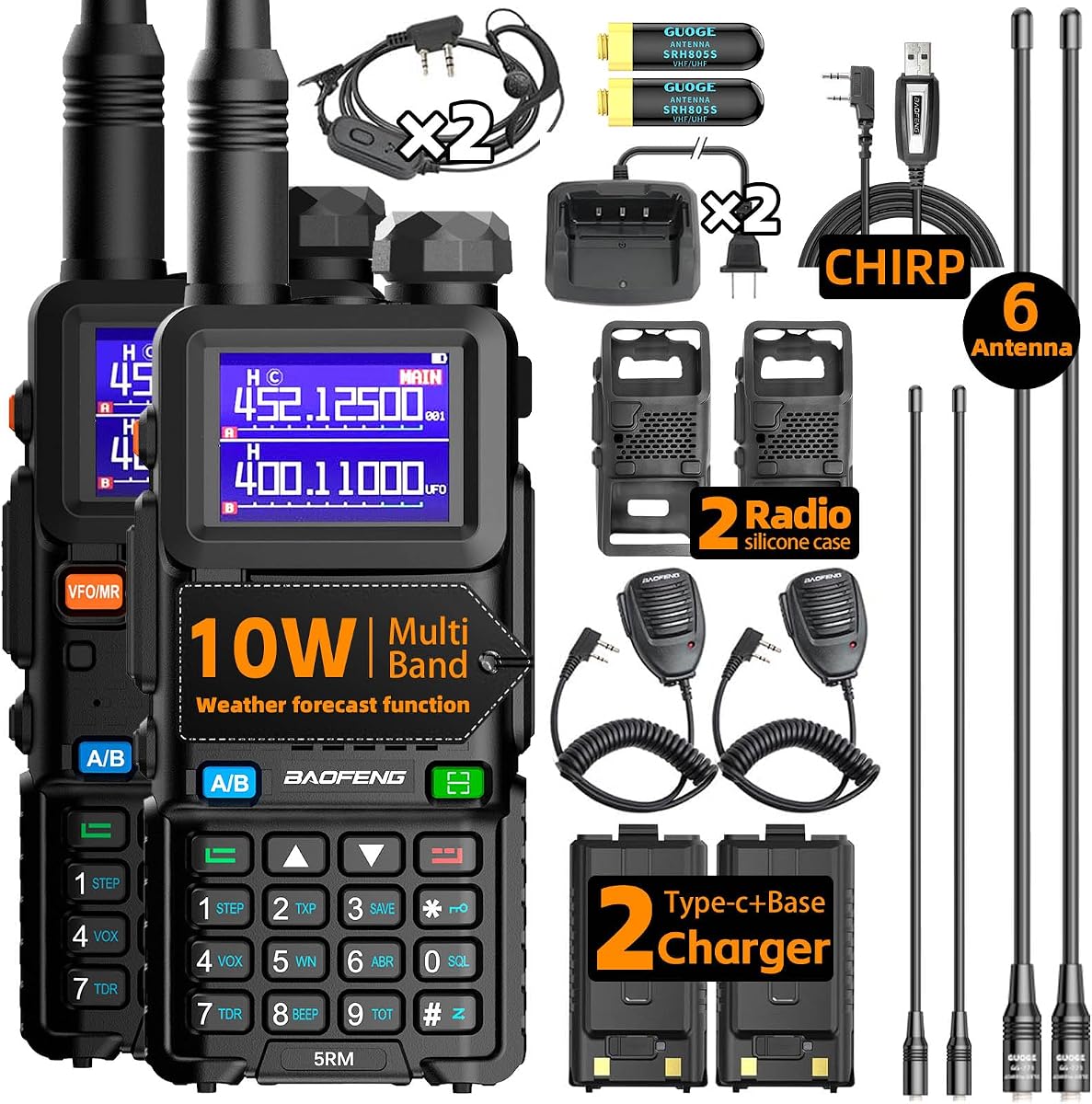
This 2-pack of Baofeng UV-5R radios offers exceptional value for teams or redundancy. It scores 4.5 stars for performance and versatility. Having two units ensures you always have a backup for operations.
We may earn a commission when you buy through this link, at no additional cost to you.
Its standout quality is the inclusion of a programming cable and dual units. You can synchronize frequencies easily between devices. The 10W power output extends range beyond typical handhelds. NOAA weather alerts add safety value.
The interface is less intuitive than premium units. Users may find the menus confusing initially. These issues are minor compared to the value. For group operations, having multiple synchronized units is a huge advantage.
Ideal for emergency teams or camping groups. If you need multiple radios without breaking the bank, this bundle is perfect. Prioritize quantity and redundancy for team communications over single-unit premium features.
Having two units allows for seamless team coordination and communication checks.
The 10W power output provides significantly better range than standard 5W handhelds.
We may earn a commission when you buy through this link, at no additional cost to you.
This sticker pack is a fun accessory for personalizing your laptop and radio gear. With a 3.5 rating, it is appreciated for its humor and quality. It helps identify your station among peers.
We may earn a commission when you buy through this link, at no additional cost to you.
Its standout quality is the variety of humorous designs. Operators often use them to mark equipment or give gifts. The vinyl material resists water and weather well. It adds personality to technical gear.
It does not improve technical performance. Adhesive might be strong on some surfaces. These are minor issues for a fun item. For showing pride in the hobby, these stickers are a popular choice.
Ideal for gifting or personalizing new laptops. If you want to mark your station as a licensed operator, this adds flair. Prioritize fun and identification over technical function for this accessory.
Use stickers to mark your laptop and radio gear clearly as licensed equipment.
Humorous designs celebrate the unique culture of amateur radio operators.
We may earn a commission when you buy through this link, at no additional cost to you.
Selecting the right laptop requires balancing specific technical needs with operational demands. Here are key factors to consider for your setup.
For field operations, a rugged chassis is essential. Look for MIL-STD ratings like 810H to ensure resistance to drops and dust.
Prioritize models with sealed ports and high IP ratings for environmental protection.
Modern logging software requires efficient processing. Aim for at least an Intel Core i5 or equivalent Ryzen processor.
16GB RAM is recommended to run mapping tools and radio interfaces simultaneously without lag.
Ensure your laptop has USB-A and USB-C ports for interfaces. Serial ports are still used by some legacy hardware.
Built-in Ethernet and Wi-Fi 6 support help maintain stable connections for remote data access.
A larger screen improves map readability and multi-window workflows. Antiglare coatings help in outdoor conditions.
Resolution should be at least 1080p for clear text and signal charts.
Long endurance is critical when working away from mains power. Look for models offering at least 8 hours of use.
Hot-swappable battery options in rugged models allow continuous operation without downtime.
Windows 11 Pro provides security features and better enterprise management. Ensure software compatibility with your radio tools.
Verify that your logging programs support the current OS version before purchase.
Consider refurbished options for cost savings on rugged gear. Certified renewals often come with warranties.
Balance initial cost against expected lifespan and replacement costs.
Integrated 4G LTE ensures internet access where Wi-Fi is unavailable. This is vital for real-time updates.
Bluetooth support helps connect wireless accessories like headsets or GPS modules.
To maximize performance, install essential radio software upon setup. Configure power settings to prevent sleep mode during long sessions.
Clean ports regularly with compressed air to prevent dust buildup. Use protective covers for connectors when not in use.
Maintain battery health by avoiding extreme temperatures. Store the device in a padded case when transporting to prevent physical damage.
Look for rugged durability, ample RAM for logging software, and necessary ports for interfaces. A bright screen helps with outdoor visibility.
Not always, as adapters exist. However, a native serial port simplifies connecting legacy radio control units without extra dongles.
Windows 11 Pro offers better security and management features. It supports most logging and mapping applications effectively.
Yes, but rugged models are safer for harsh conditions. Standard laptops are more fragile and less resistant to dust and drops.
16GB is a good standard for multitasking. It allows running logging tools alongside browsers and maps without slowdowns.
Certified refurbished models are often reliable. Check for warranties and ensure they meet your performance needs before deployment.
We reviewed ten top laptops including rugged options from Panasonic and Dell alongside consumer models. Each device offers unique strengths for different operational needs and budgets.
Prioritize durability and connectivity if you work in the field. For home stations, screen size and processing speed may take precedence over ruggedization.
Prices and stock change frequently so verify details before buying. Choose the model that best fits your specific frequency and logging workflow.