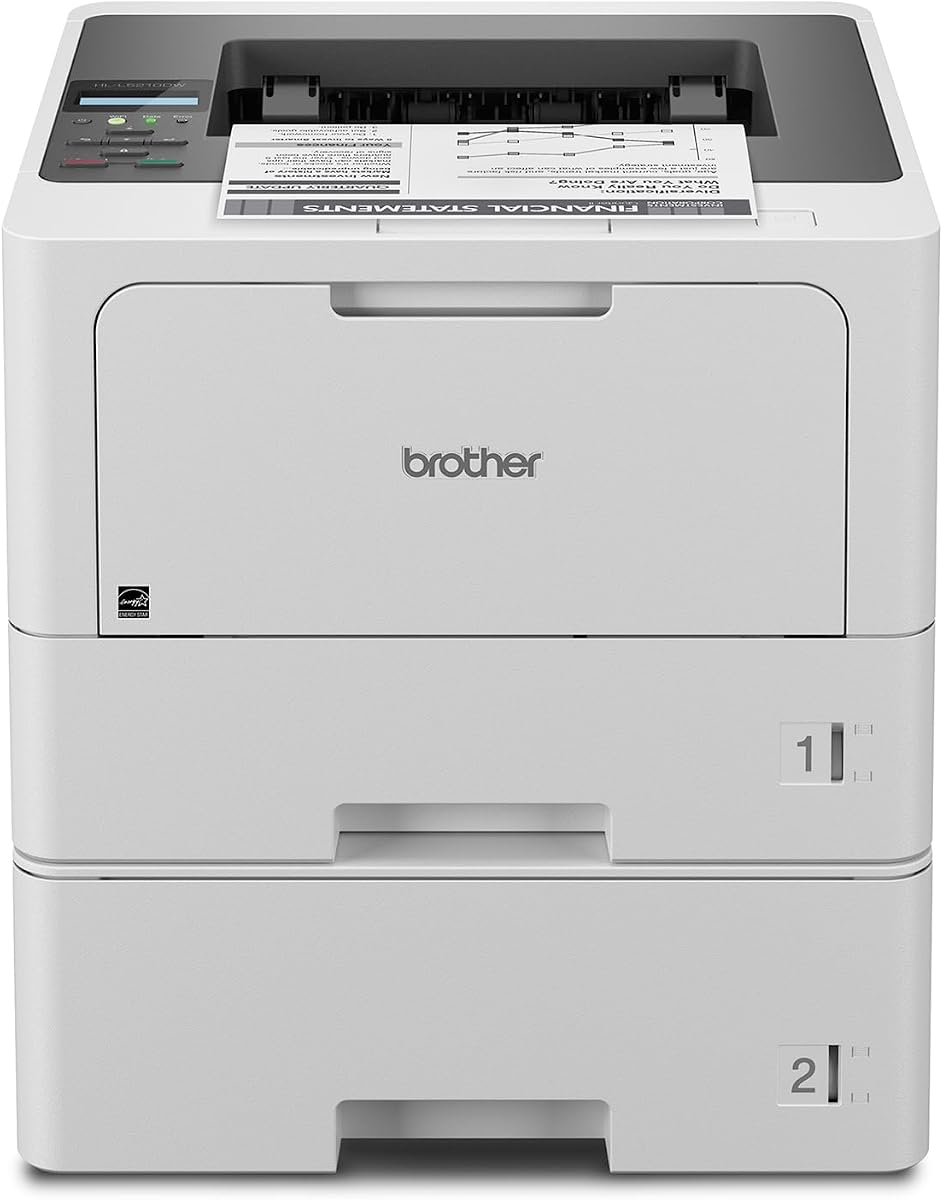
Brother HL-L5210DWT
4.3Editor score
Up to 48ppm monochrome speed
1,390 sheet max capacity
Dual wireless and Ethernet
Compare the top laser printer for large workgroups based on speed, security, and capacity to find the right model for your busy office environment needs.
Finding the right laser printer for large workgroups requires balancing speed, capacity, and security. High-volume environments need reliable machines that handle constant demand without jams or delays. These printers must integrate seamlessly into existing networks while maintaining low operating costs for sustainable daily use.
We evaluated ten top models from leading manufacturers like Brother and HP. Our analysis focused on print speeds, paper handling, security features, and total cost of ownership. Each product was assessed for its ability to support mid to large-sized teams efficiently. This list covers diverse options from compact monochrome units to robust color all-in-one systems.
Each pick highlights key strengths and potential trade-offs to help you decide. Ratings reflect user feedback on performance and reliability in professional settings. Prices and availability change frequently so verify current details before purchasing. This guide ensures you invest in a solution that grows with your business needs.
4.3Editor score

4.4Editor score

4.5Editor score
This side-by-side comparison details the specifications of ten leading printers. We highlight print speeds, paper capacities, connectivity options, and security layers. Use this table to quickly identify which model aligns with your specific volume and budget requirements.


The Brother MFC-L8900CDW stands out as a top contender for large workgroups needing color capabilities. With a strong user rating it delivers professional results consistently. Its combination of speed security and connectivity makes it ideal for demanding office environments.
We may earn a commission when you buy through this link, at no additional cost to you.
This printer boasts speeds up to 33ppm for both color and black output ensuring documents are ready quickly. The 80-page auto document feeder supports efficient scanning of multi-page files. Advanced security features like Triple Layer Security and NFC authentication protect sensitive data throughout the workflow.
While the upfront cost is higher than monochrome options the included toner and low operating costs offset this over time. The compact design saves space without sacrificing capacity. However users should monitor toner levels closely to avoid interruptions during peak periods.
Businesses requiring secure high-volume color printing will find this model highly suitable. It balances performance and safety effectively. We recommend it for teams that need reliable all-in-one functionality without compromising on output quality or network protection.
High-speed printing and scanning keep workflows moving efficiently across the office network.
Advanced security layers ensure documents and network access remain protected from external threats.
We may earn a commission when you buy through this link, at no additional cost to you.
The Brother HL-L5210DWT offers exceptional value for workgroups focused on text documents. It achieves high speeds up to 48ppm which reduces wait times significantly. Users appreciate its robust paper handling and wireless flexibility for diverse device support.
We may earn a commission when you buy through this link, at no additional cost to you.
This model includes dual paper trays with a combined capacity that minimizes refills. Connectivity options include Gigabit Ethernet and dual band wireless ensuring seamless network integration. Security features safeguard your network and protect documents during transit effectively.
While it lacks color and scanning the trade-off allows for a lower price point and simpler operation. The included toner cartridge supports immediate printing needs. Businesses prioritizing volume over color will find this unit highly efficient for daily operations.
Ideal for departments needing fast affordable black and white printing this printer delivers consistent results. It handles high volumes well without jamming. We recommend it for offices where speed and cost efficiency outweigh the need for color output.
High capacity trays and fast speeds ensure uninterrupted printing during busy workdays.
Super high-yield toner options significantly reduce ongoing operational expenses.
We may earn a commission when you buy through this link, at no additional cost to you.
The HP LaserJet Enterprise MFP M634z is engineered for maximum performance in enterprise settings. Its speed and capacity handle extreme volumes with ease. Security features are deeply embedded to protect sensitive corporate data from sophisticated threats.
We may earn a commission when you buy through this link, at no additional cost to you.
With speeds up to 55ppm and a 150-page auto document feeder this unit accelerates document workflows. The 2,300-sheet capacity reduces maintenance needs drastically. A 9-inch touchscreen simplifies navigation and remote management tasks for IT teams.
While the price is substantial the included stapler and high efficiency justify the investment for large offices. It requires significant floor space but offers unmatched reliability. Organizations needing top-tier speed and security will find this model worth the cost.
This printer is best suited for central print hubs processing thousands of pages daily. Its robust build and advanced features ensure uptime and safety. We recommend it for businesses where performance and security are critical operational priorities.
Deep security features detect and stop attacks automatically to protect data integrity.
Stapling and high-volume feeding reduce manual handling time for staff.
We may earn a commission when you buy through this link, at no additional cost to you.
The HP LaserJet Enterprise M406dn provides solid performance for entry-level enterprise needs. It delivers fast speeds and reliable connectivity through Ethernet. Users value its security features and ability to integrate with third-party solutions effectively.
We may earn a commission when you buy through this link, at no additional cost to you.
This printer handles high-volume jobs with speeds up to 42ppm efficiently. Dynamic security protects the device from malware and attacks continuously. The 2.7-inch color display allows for easy navigation and configuration without complex menus.
While it lacks wireless and color it excels in controlled wired environments. The compact design fits well on desks without cluttering workspace. It is a dependable choice for teams prioritizing security and straightforward operation.
Recommended for offices with existing wired networks needing secure text printing. It offers a balanced feature set for reliable daily use. We suggest this model for departments seeking cost-effective enterprise-grade reliability.
Dynamic security layers defend against threats to keep network data safe.
Card reader support enables secure authentication and streamlined workflows.
We may earn a commission when you buy through this link, at no additional cost to you.
The Brother MFC-L6810DW delivers exceptional speed for mid to large workgroups. It combines printing scanning and copying into a single efficient unit. Users appreciate the large capacity and voice integration for hands-free tasks.
We may earn a commission when you buy through this link, at no additional cost to you.
Print speeds reach up to 52ppm ensuring documents are produced rapidly. The 80-page ADF handles bulk scanning tasks effortlessly. Security features protect documents in transit while NFC card readers enhance physical access control.
While toner costs can accumulate the ultra high-yield options help mitigate this. The 7-inch touchscreen simplifies setup and task management. It requires regular maintenance but provides reliable high-volume output consistently.
Ideal for busy offices needing fast multifunction capabilities. This printer supports both mobile and desktop workflows effectively. We recommend it for teams prioritizing speed and integrated document handling.
High-speed performance supports busy workflows with minimal waiting times.
Alexa integration allows for voice-activated printing tasks easily.
We may earn a commission when you buy through this link, at no additional cost to you.
The Brother HL-6210DW offers professional performance for high-volume text printing. It delivers consistent quality with fast speeds to meet demanding office needs. Security features protect your network while allowing flexible wireless access.
We may earn a commission when you buy through this link, at no additional cost to you.
Print speeds reach 50ppm ensuring documents are ready quickly. The expandable paper capacity supports uninterrupted operation without frequent refills. Triple Layer Security safeguards data during transmission and storage effectively.
While it lacks scanning capabilities it excels as a dedicated printer. The simple interface reduces complexity for IT management. It remains a strong choice for departments focused solely on reliable output.
Suitable for teams needing fast affordable printing without multifunction features. Its security and capacity make it ideal for medium offices. We recommend this model for straightforward printing requirements.
Built-in security ensures safe wireless printing across office devices.
Expandable trays reduce downtime during high-volume printing cycles.
We may earn a commission when you buy through this link, at no additional cost to you.
The Brother MFC-L5915DW balances speed and cost for busy offices. It provides all-in-one functionality with fast print speeds up to 50ppm. Users value its affordable toner options and reliable wireless connectivity.
We may earn a commission when you buy through this link, at no additional cost to you.
Print and copy speeds support fast document workflows. The 70-page ADF handles multi-page scanning efficiently. Low-cost toner cartridges help reduce long-term operational expenses significantly.
While security features are standard it lacks some advanced authentication tools. The legal-size glass accommodates various document types easily. It is a practical choice for small to medium workgroups.
Recommended for teams needing affordable multifunction printing. This model offers a balance of speed and cost efficiency. We suggest this for offices prioritizing budget-friendly performance.
Low-cost toner options help manage printing budgets effectively.
Multi-page scanning accelerates digitization of physical records.
We may earn a commission when you buy through this link, at no additional cost to you.
The HP LaserJet Enterprise M507n focuses on security and control for businesses. It offers over 200 embedded security features to protect data. Users appreciate its centralized management tools and reliable Ethernet connectivity.
We may earn a commission when you buy through this link, at no additional cost to you.
Security layers detect and stop attacks automatically to keep data safe. Web JetAdmin simplifies adding devices and applying policies. It supports optional mobile printing for flexibility.
While speeds are moderate it ensures consistent high-quality output. Toner choices prevent reprints and wasted supplies. It is ideal for offices prioritizing compliance and data protection.
Recommended for enterprises needing strong security and management. This printer supports corporate policies effectively. We suggest this model for compliance-focused teams.
Over 200 security features defend against modern cyber threats.
Centralized control simplifies fleet maintenance and policy enforcement.
We may earn a commission when you buy through this link, at no additional cost to you.
The Brother HL-L8430CDWT delivers dependable color printing for professional teams. It combines speed with low costs to optimize printing budgets. Users appreciate its secure wireless connectivity and sustainable design.
We may earn a commission when you buy through this link, at no additional cost to you.
Print speeds reach 33ppm with vibrant color and sharp black output. Dual trays support mixed media without frequent refills. Security features protect documents in transit effectively.
While it lacks scanning it excels as a dedicated color unit. Energy Star certification ensures energy efficiency. It is ideal for departments requiring consistent high-quality color.
Recommended for teams needing reliable color printing. This model balances speed and cost effectively. We suggest this for offices prioritizing output quality.
Super high-yield toner reduces long-term expenses significantly.
Recycled materials and energy efficiency support green initiatives.
We may earn a commission when you buy through this link, at no additional cost to you.
The Brother HL-L6310DW offers enterprise-level performance at a competitive price. It delivers fast speeds and secure connectivity for workgroups. Users appreciate its large capacity and easy deployment options.
We may earn a commission when you buy through this link, at no additional cost to you.
Print speeds reach 52ppm ensuring rapid document production. Expandable trays support uninterrupted workflows efficiently. Security features protect your network during transmission.
While management tools are basic it remains reliable for daily tasks. Toner options reduce operational costs significantly. It is ideal for teams needing dependable high-volume output.
Recommended for businesses seeking value and speed. This model provides essential features without unnecessary complexity. We suggest this for straightforward printing needs.
High-speed printing keeps workgroups productive throughout the day.
Advanced security protects documents and network from unauthorized access.
We may earn a commission when you buy through this link, at no additional cost to you.
Selecting the right printer involves balancing speed capacity and cost. This section covers key factors to help you decide efficiently.
Speed determines how quickly documents leave the printer. For large teams choose models with speeds above 40ppm to avoid queues and maintain productivity.
Prioritize models with high ppm ratings for efficient workflows.
High capacity trays reduce the need for constant refills. Look for printers with at least 500 sheets standard capacity and expandable options.
Large trays ensure uninterrupted printing during busy periods.
Modern offices need wireless and wired access. Dual band WiFi and Gigabit Ethernet ensure seamless connections across desktop and mobile devices.
Choose models with multiple connectivity protocols for flexibility.
Protecting sensitive data is critical in large environments. Look for Triple Layer Security embedded encryption and secure authentication like NFC card readers.
Robust security features protect network and data integrity.
Operating costs depend on toner yield. Super high-yield cartridges reduce the frequency of replacements and lower cost per page over time.
Select models offering high-yield toner options for savings.
All-in-One units combine printing scanning and copying. Consider if your team needs scanning capabilities to justify the extra features.
Evaluate your workflow to decide on multifunction necessity.
Large groups need centralized management tools. Firmware updates and remote configuration simplify IT administration and ensure compliance.
Look for models supporting remote management and updates.
Set up the printer in a clean dry area with proper ventilation. Connect it to your network using Ethernet or WiFi before installing drivers.
Load paper trays carefully to avoid jams. Use high-quality paper suitable for laser printing to ensure sharp output and reduce wear.
Perform regular maintenance by cleaning rollers and updating firmware. Monitor toner levels and replace cartridges before they run out to prevent interruptions.
A suitable printer offers high speeds above 40ppm large paper capacity and robust security. It must handle frequent use without jamming and support multiple devices on a shared network.
Use high-yield toner cartridges whenever possible. Print drafts on low-quality settings and enable duplex printing to save on supplies.
Most modern models support mobile printing via apps or AirPrint. Verify compatibility with your specific operating system before purchase.
NFC card readers allow users to authenticate before releasing prints. This ensures document privacy and prevents unauthorized access to sensitive information.
Update firmware monthly or when notifications appear. These updates often include security patches and performance improvements that keep your printer secure.
Yes duplex printing saves paper and reduces clutter. It speeds up workflows by allowing double-sided documents without manual flipping.
Many models allow expandable trays. Check the product specs for optional accessory support before purchasing to plan future upgrades.
Choosing the right printer for large workgroups depends on balancing speed capacity and security. Our top picks include the Brother MFC-L8900CDW for overall value and the HP LaserJet Enterprise MFP M634z for enterprise power.
Prioritize features that match your workflow volume. If you need high-speed color output look at the Brother HL-L8430CDWT. For secure high-volume black and white consider the Brother HL-L5210DWT.
Prices and availability change frequently. Verify current details and availability before purchasing to ensure you get the best value for your investment.