
RedThunder One Handed Gaming Keyboard RGB Backlit 35 Keys Portable Mini Gaming Keypad Ergonomic Game Controller for PC Gamer
4.4Editor score
35 keys anti-ghosting support
RGB backlit with 7 colors
Macro recording for quick commands
This guide compares the top left handed gaming keyboards for 2026, featuring ergonomic designs, programmable keys, and rapid trigger switches for competitive
Left handed gaming keyboards offer specialized layouts designed to enhance comfort and performance for gamers who prefer using their dominant hand for typing and control. These devices often feature unique configurations that place essential keys within easy reach while freeing up space for mouse movement and reducing strain during long sessions.
Our team has analyzed the most relevant options available on the market to help you find the perfect device for your setup. We evaluated each product based on build quality, switch technology, customization capabilities, and overall ergonomic design to ensure you get the best value and performance for your needs.
Each pick in this list highlights specific strengths that cater to different play styles and budget constraints. Please note that product availability and pricing can change frequently, so we recommend verifying current details before making your final purchase decision to ensure you get the exact model you desire.
4.4Editor score

4.6Editor score

4.6Editor score
This side-by-side comparison highlights the key specifications and unique features of each top-rated left handed gaming keyboard to help you make an informed choice based on your specific gaming requirements and preferences.



The RK ROYAL KLUDGE L98 Wireless Mechanical Keyboard stands out as a top choice for left handed gamers due to its thoughtful southpaw numpad layout. With a high rating from users, it delivers a premium feel through its gasket-mounted structure and sound-dampening layers that minimize noise during gameplay.
We may earn a commission when you buy through this link, at no additional cost to you.
This keyboard excels in versatility with seamless tri-mode connectivity allowing you to switch between 2.4GHz wireless Bluetooth 5.0 and USB-C wired connections effortlessly. The massive 8000 mAh battery ensures you can game for hours without needing to recharge making it ideal for long sessions.
While the layout is specifically designed for left handed users right handed individuals may find the shift in numpad position requires some adaptation. However the ergonomic advantages such as freeing up space on the right side for mouse use make this a minor trade-off for the comfort gains.
If you are looking for a balanced blend of functionality and comfort this keyboard is a strong recommendation. Its hot-swappable PCB allows you to customize switches while the durable PBT keycaps ensure longevity for both work and gaming use.
Relocating the numpad to the left side optimizes desk space and reduces strain on your right hand during extended mouse usage.
The hot-swappable PCB lets you easily swap switches to match your preference without soldering making maintenance and upgrades simple.
We may earn a commission when you buy through this link, at no additional cost to you.
The RedThunder One Handed Gaming Keyboard offers an accessible entry point for gamers seeking a dedicated keypad without breaking the bank. Its high user rating reflects satisfaction with its responsive keys and practical features that cater to budget-conscious players.
We may earn a commission when you buy through this link, at no additional cost to you.
This keypad features a built-in game chip that enhances response speed for smoother gameplay across various titles. The macro recording keys allow you to automate complex sequences saving you time and effort during intense gaming sessions while the RGB backlit modes add a touch of style to your setup.
While it lacks wireless connectivity and premium materials the compact design makes it easy to carry and saves desk space. The ergonomic design includes a wrist rest that helps reduce fatigue but the simple construction may not match the durability of higher-end models.
For those who need a reliable and affordable solution for gaming this keypad is a practical choice. Its driver-free plug and play functionality ensures you can start using it immediately upon connecting to your PC.
The dedicated macro keys let you record and assign complex commands to single buttons enhancing your efficiency in strategy games.
Its small size makes it perfect for LAN parties or travel allowing you to keep your gaming setup flexible and mobile.
We may earn a commission when you buy through this link, at no additional cost to you.
The AZERON Keyzen represents the pinnacle of one handed gaming keyboards with its advanced Hall-Effect joystick and fully mappable keys. Its high rating underscores the value users place on its premium build and customizable features that cater to serious gamers.
We may earn a commission when you buy through this link, at no additional cost to you.
This keypad offers drift-free analog control through its thumbstick allowing for precise movement in compatible games. The Cherry MX mechanical switches provide a satisfying tactile feedback while the modular 3D-printed construction ensures durability and the to future upgrades or modifications.
While the price is higher than many alternatives the investment is justified by the depth of customization available. Users can adjust finger angles palm rests and even swap keycaps to tailor the device to their hand size and preferences.
If you seek the ultimate in ergonomic and functional design this keypad is a top recommendation. Its ability to store multiple control layouts onboard ensures quick access to different configurations for various game genres without needing constant reconfiguration.
The magnetic sensor joystick offers smooth analog input without the wear and tear of traditional potentiometers ensuring consistent performance over time.
Components can be replaced or upgraded separately allowing you to maintain or improve the device as your needs evolve.
We may earn a commission when you buy through this link, at no additional cost to you.
The AZERON Gaming Keypad offers a unique blend of gaming and control with its Hall Effect thumbstick and 30 programmable keys. User feedback highlights its adjustability and ergonomic benefits that make it a standout choice for those who value customization.
We may earn a commission when you buy through this link, at no additional cost to you.
The analog thumbstick supports WASD or 360° movement allowing for nuanced control in games that support this feature. You can customize dead zones sensitivity and cone angles to match your play style while the software lets you store up to six control layouts for quick switching.
While the 3D printed design is durable it may feel less premium to some compared to molded plastics. Additionally the depth of customization can be overwhelming for casual users but it provides a significant advantage for dedicated gamers.
This device is ideal for players who want to replace their traditional keyboard with a versatile alternative that keeps their mouse on the right. Its modular design ensures that future enhancements can be integrated keeping the device relevant for years.
The dedicated software allows fine-tuning of the thumbstick and keybinds ensuring every aspect of the device meets your specific needs.
Adjustable parts ensure a perfect fit for different hand sizes reducing strain and enhancing comfort during extended use.
We may earn a commission when you buy through this link, at no additional cost to you.
The AJAZZ AK029 is tailored for FPS gamers with its Hall Effect magnetic switches and 8KHz polling rate for minimal latency. Its strong user rating reflects appreciation for its performance-oriented features that support fast and accurate input.
We may earn a commission when you buy through this link, at no additional cost to you.
Equipped with Rapid Trigger technology this keyboard ensures near-instantaneous key resets essential for competitive movement like strafing and jumping. The integrated SOCD and DKS technologies allow multiple action combinations to be bound to single keystrokes giving you a competitive edge.
While the 29-key layout is minimal it focuses on essential gaming keys freeing up desk space for mouse movement. The aluminum build and acoustic structure provide a premium feel but the lack of wireless connectivity may limit portability for some users.
For gamers who prioritize speed and precision this keyboard is an excellent choice. The ergonomic wrist rest and compact design make it comfortable for long sessions while the RGB backlighting adds visual appeal to your gaming station.
Keys reset instantly upon release enabling smoother movement and quicker reactions in fast-paced shooting games.
The small footprint maximizes mouse space allowing for wider flicks and better control during intense matches.
We may earn a commission when you buy through this link, at no additional cost to you.
The Ergonomic Left Handed Keyboard is designed primarily for business and accounting tasks but offers a viable option for gaming due to its ergonomic benefits. User reviews highlight its effectiveness in reducing strain and improving posture during long typing sessions.
We may earn a commission when you buy through this link, at no additional cost to you.
With a patented Natural_A key structure this keyboard reduces shoulder and back strain making it suitable for prolonged use. The left-handed numeric keypad and eight multimedia hotkeys streamline workflows and provide quick access to common functions without needing to move your hands.
While it lacks specialized gaming features like RGB or high polling rates its ergonomic design supports comfort which is beneficial for gaming too. The plug and play compatibility with various operating systems ensures easy integration into any setup.
If you need a keyboard that prioritizes health and productivity this option is a practical choice. It offers a stable typing experience and is particularly useful for those who switch between work and gaming frequently.
The unique key layout promotes a natural hand position reducing the risk of repetitive strain injuries over time.
Eight dedicated hotkeys provide quick access to volume control media playback and other common tasks enhancing usability.
We may earn a commission when you buy through this link, at no additional cost to you.
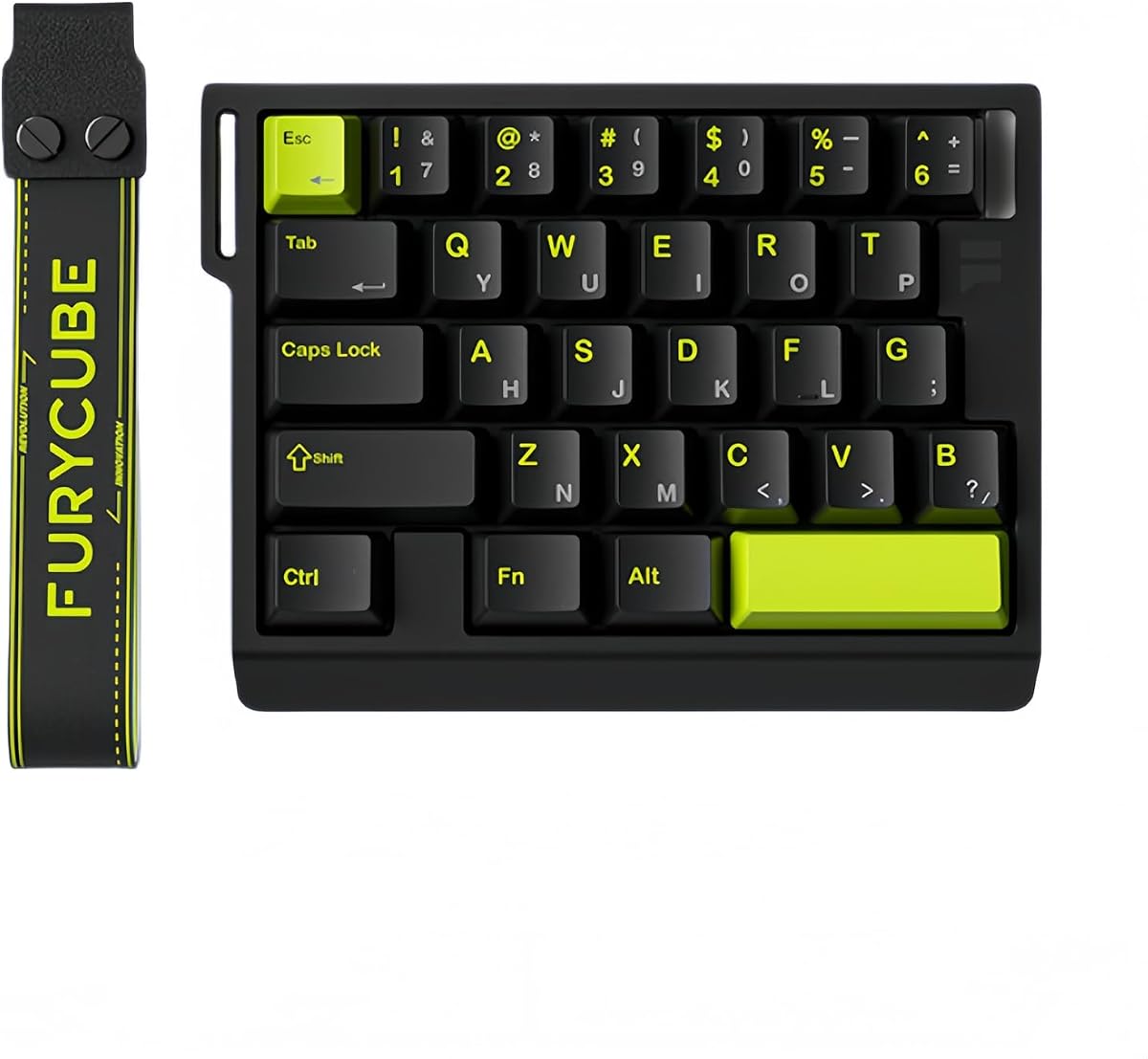
The Keychron C0 HE brings magnetic switch technology to a one-handed gaming keypad with its Hall Effect switches and 8K polling rate. It earns praise for its performance features that enable precise control and fast response times for competitive gamers.
We may earn a commission when you buy through this link, at no additional cost to you.
This keypad supports adjustable actuation allowing you to fine-tune how far a key travels before registering an input. The web-based configurator eliminates the need for heavy software downloads making it easy to customize key mappings actuation settings and RGB lighting across different systems.
While the wired connection ensures stability it may limit mobility compared to wireless options. The 35-key layout is versatile enough for MMO and MOBA titles but users may need to adapt to the compact size initially.
For gamers who value precision and customization this keypad is a strong contender. Its compatibility with both Windows and macOS makes it a versatile choice for multi-platform users seeking a reliable input device.
Adjust settings directly in your browser without installing additional software simplifying the setup process for new users.
Hall Effect switches offer smoother operation and adjustable actuation points enhancing responsiveness in gaming scenarios.
We may earn a commission when you buy through this link, at no additional cost to you.
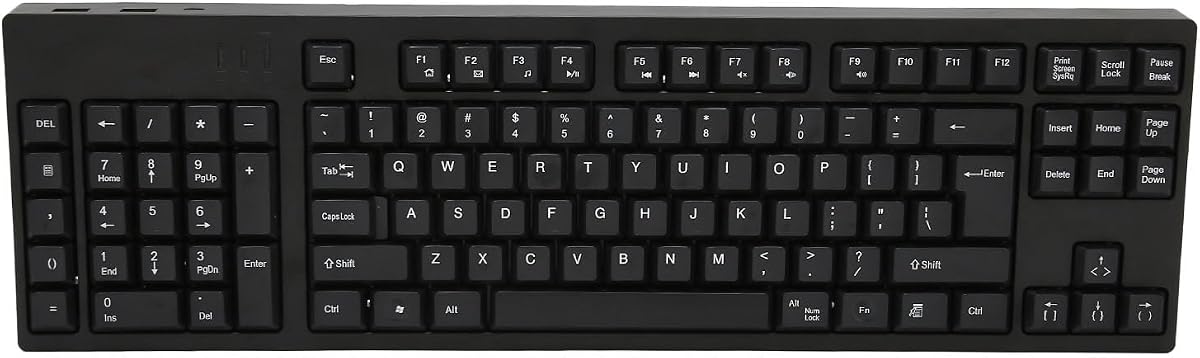
The Left Handed Keyboard offers a comprehensive 109-key layout that mirrors a full-size keyboard but tailored for left handed use. Its perfect user rating suggests high satisfaction with its build quality and ergonomic design for various tasks.
We may earn a commission when you buy through this link, at no additional cost to you.
With a left numpad design this keyboard allows you to operate the numeric keypad with your left hand while keeping your right hand free for mouse work. The plug and play functionality ensures immediate usability without requiring drivers or complex configurations.
While it lacks gaming-specific features like macro programming or RGB lighting it provides a stable typing experience for general use. The included extra USB interfaces allow you to connect peripherals directly to the keyboard adding convenience to your setup.
If you need a full-sized solution that supports left handed ergonomics this keyboard is a solid choice. It is particularly useful for those who require extensive key access and value simplicity in their hardware setup.
The 109-key layout ensures you have all the keys you need for both work and casual gaming without sacrificing functionality.
Additional USB ports on the keyboard let you connect devices like mice or drives reducing cable clutter on your desk.
We may earn a commission when you buy through this link, at no additional cost to you.
The FKZ M30HE brings magnetic switch technology to a compact one-handed gaming keyboard offering adjustable actuation and rapid trigger capabilities. It appeals to gamers looking for performance features at a mid-range price point.
We may earn a commission when you buy through this link, at no additional cost to you.
Each key allows sensitivity adjustment from 0.1 to 3.4 mm enabling you to tailor the device to your specific touch preferences. The web driver makes it easy to remap keys set macros and adjust lighting effects without installing heavy software on your system.
While it is priced competitively the build quality may feel simpler compared to premium models. The north-facing LEDs provide good visibility for RGB effects but the software interface might require some learning to maximize its potential.
For gamers who want to experiment with magnetic switches without a major investment this is a practical option. Its hot-swap capability allows you to try different switches to find the best fit for your gaming style.
Fine-tune the actuation point to your liking ensuring keys register exactly when you want them to during gameplay.
Configure your setup directly in the browser simplifying the customization process for users who prefer lightweight tools.
We may earn a commission when you buy through this link, at no additional cost to you.
The A4tech Ergonomic Left Handed Keyboard is designed to improve posture and reduce strain during prolonged use. User reviews highlight its comfort and practicality for tasks that require consistent typing and data entry.
We may earn a commission when you buy through this link, at no additional cost to you.
With a natural reduced strain design this keyboard helps alleviate back and shoulder tension making it suitable for those with ergonomic needs. The eight multimedia hotkeys provide quick access to common functions streamlining your workflow without requiring extra movement.
While it is not optimized for gaming performance it offers a stable and comfortable typing experience that can support casual gaming. The wired USB connection ensures reliability but the lack of wireless options may limit flexibility for some users.
If you prioritize physical comfort and ease of use this keyboard is a sensible choice. It provides a functional layout that supports both work and light gaming needs without unnecessary complexity.
The ergonomic design promotes a healthier typing position reducing fatigue and strain during long work or play sessions.
Eight dedicated hotkeys allow quick access to media controls and common commands enhancing your daily productivity.
We may earn a commission when you buy through this link, at no additional cost to you.
Selecting the right left handed gaming keyboard involves considering several factors that affect performance comfort and usability.
An ergonomic layout is crucial for reducing strain during long sessions. Look for designs that place essential keys within easy reach and support a natural hand position to prevent fatigue.
Prioritize keyboards with adjustable rests or layouts that match your hand size for the best comfort.
Switch type determines the feel and responsiveness of your keyboard. Mechanical switches offer durability while magnetic switches provide adjustable actuation for competitive gaming.
Choose switches that match your preference for tactile feedback or silent operation based on your play style.
Connectivity affects how you interact with your system. Wired options ensure stability while wireless offers freedom from cables but may introduce latency.
Decide based on your need for mobility versus consistent performance during intense gaming.
Programmable keys allow you to customize commands and macros for specific games. This feature enhances efficiency by reducing the need to press multiple keys at once.
Look for software that lets you save multiple profiles to switch between games quickly.
Build quality impacts the lifespan of your keyboard. Materials like aluminum or durable plastics ensure the device withstands regular use without wear.
Invest in sturdy construction to avoid frequent replacements and maintain consistent performance.
RGB lighting adds aesthetic appeal and helps identify keys in low light. Per-key lighting allows for more customization compared to zone-based options.
Consider whether you want adjustable colors to match your setup or simple static effects for visibility.
Price varies widely based on features and brand. Budget options provide basic functionality while premium models offer advanced customization and better materials.
Balance your budget with the features you need to ensure you get the best value for your money.
Ensure the keyboard supports your operating system and devices. Some keyboards offer better support for Windows while others are optimized for macOS.
Check system requirements before purchasing to avoid connectivity issues with your setup.
Start by connecting your keyboard to your computer via the provided cable or wireless receiver. Ensure your operating system recognizes the device before installing any required software.
Use the software tools to customize key mappings and lighting to match your gaming preferences. Save your settings to onboard profiles for quick access across different devices.
Regularly clean the keycaps and surface to remove dust and debris that can affect performance. Store the device in a dry place to maintain its condition over time.
While designed for left handed users many of these keyboards offer ergonomic benefits that right handed gamers can also appreciate. The layout changes may take some adjustment but they can improve desk space usage for mouse movement.
Yes magnetic switches offer faster response times and adjustable actuation points which can enhance precision in competitive games. They also reduce wear and tear compared to traditional mechanical switches.
Most modern left handed keyboards support both Windows and macOS with plug and play functionality. Always check the product specifications to confirm compatibility before purchasing.
Rapid trigger technology allows keys to reset instantly upon release enabling smoother movement and quicker reactions. This is especially useful in fast-paced genres like first-person shooters.
Use a soft brush or compressed air to remove dust between keys and wipe the surface with a slightly damp cloth. Avoid harsh chemicals that might damage the keycaps or internal components.
Modern wireless keyboards with low latency are generally reliable for gaming. However wired connections still offer the most consistent performance for competitive play without any risk of signal interference.
Most left handed keyboards are plug and play but advanced features like macros often require specific software. Check if the manufacturer provides driver-free tools or browser-based configuration options.
This guide has highlighted the top left handed gaming keyboards available in October 2026 offering options for every budget and preference. From the versatile RK ROYAL KLUDGE L98 to the high-performance AZERON Keyzen each product brings unique strengths to the table.
When making your decision prioritize features that align with your gaming style such as ergonomic design switch type and customization capabilities. A well-chosen device can significantly improve your comfort and performance during extended play.
Remember that product details and availability may change so verify the latest information before completing your purchase. With the right setup you can enjoy a seamless and comfortable gaming experience tailored to your needs.