
TP-Link AC1200 WiFi Extender Dual Band
4.2Editor score
Affordable Price Point
Dual-Band Connectivity
Easy Setup Process
This guide compares the top long range WiFi extender models for 2026 to help you choose the best device for eliminating dead zones and improving connectivity.
Finding a reliable long range WiFi extender is essential for modern homes with large layouts or multiple floors. Dead zones can frustrate users by interrupting streaming and video calls. A quality extender amplifies your existing signal to ensure coverage reaches every corner effectively.
We have analyzed the latest models available in the market to identify the most effective solutions for signal extension. Our comparison considers technical specifications, coverage area, and compatibility with various router standards to provide a comprehensive overview of top performing devices.
Each pick in this list highlights specific strengths such as speed, ease of setup, or outdoor durability. While we focus on performance and features, remember that retail prices may fluctuate over time. Always check the current listing for the most up to date information before purchasing.
4.2Editor score

4.1Editor score

4.3Editor score
This side-by-side comparison table provides a quick overview of the key specifications and features for all ten products selected in this guide. Use this reference to compare coverage areas, supported standards, and connection options at a glance.



The TP-Link AX3000 stands out as a top contender for those seeking robust range extension capabilities. With a rating of 4.1 stars, it offers reliable performance for modern homes requiring faster and more stable connections. Its dual-band design ensures efficient data distribution across your network.
We may earn a commission when you buy through this link, at no additional cost to you.
This device leverages WiFi 6 technology to deliver speeds up to 2404 Mbps on the 5 GHz band. The inclusion of high-gain directional antennas with Beamforming technology enhances signal strength significantly. Users can expect coverage up to 2400 square feet, which is ideal for eliminating dead zones in large living spaces.
While the extender does not increase raw internet speeds beyond your modem limit, it improves reliability by extending the signal further. This consistency is crucial for streaming 4K content and supporting multiple devices simultaneously. The gigabit ethernet port allows for direct wired connections to gaming consoles or smart TVs.
If you need a balance of speed and coverage without moving to a full mesh system, this model is highly recommended. It works well with existing routers that support EasyMesh protocols. Ensure your router is compatible before purchasing to get the best mesh-like experience without buying a new entire system.
WiFi 6 allows for better handling of multiple connected devices which reduces lag during peak usage times.
Smart Adaptive Roaming ensures your devices connect to the strongest signal automatically as you move through the home.
We may earn a commission when you buy through this link, at no additional cost to you.
The TP-Link AC1200 is an excellent choice for budget-conscious buyers who still need effective signal extension. With a strong 4.2 rating, it provides a straightforward way to fix weak WiFi spots without spending a fortune. It is designed to fit seamlessly into smaller home networks.
We may earn a commission when you buy through this link, at no additional cost to you.
Its dual-band configuration offers full speeds of 867 Mbps on 5 GHz and 300 Mbps on 2.4 GHz. This allows you to keep high bandwidth activities separate from basic browsing tasks. The two adjustable external antennas help optimize coverage for up to 1500 square feet.
Setup is incredibly simple thanks to the One-Touch Connection feature which allows rapid pairing with your router. The intelligent signal indicator on the device helps you find the perfect spot for installation quickly. A fast ethernet port is included for stable wired connections if needed.
Choose this model if you have a standard apartment or small house and do not need the latest WiFi 6 features. It is compatible with almost all WiFi enabled devices and routers making it a versatile option. The low cost makes it an accessible entry point for improving home internet reliability.
This technology automatically selects the best path for your data to ensure optimal performance during use.
It adheres to CISA Secure-by-Design pledge ensuring your data remains protected during transmission.
We may earn a commission when you buy through this link, at no additional cost to you.
The TP-Link AC1900 offers a step up in performance for users needing more bandwidth than budget models provide. Rated at 4.3 stars, it balances speed and coverage effectively for medium to large homes. The extra antennas allow for more precise signal direction and control.
We may earn a commission when you buy through this link, at no additional cost to you.
It delivers speeds up to 1300 Mbps on 5 GHz and 600 Mbps on 2.4 GHz which is ample for HD streaming. The three adjustable external antennas work together to cover up to 2100 square feet efficiently. This setup reduces interference and maintains stronger connections in crowded areas.
Installation is managed through the Tether app which guides you through the process with visual cues. You can also use the AP mode to turn a wired connection into a WiFi hotspot which adds versatility. The gigabit port supports high speed wired transfers for devices that require them.
This extender is suitable for households with many connected devices that need consistent throughput. It supports up to 32 devices simultaneously without significant slowdowns. If you have a slightly larger space and need better speeds than AC1200 offers this is a reliable middle ground option.
Access Point mode allows you to create a new hotspot using an existing wired internet source easily.
Connecting to an EasyMesh router expands your network for seamless whole home connectivity without new hardware.
We may earn a commission when you buy through this link, at no additional cost to you.
This 2026 WiFi Extender Signal Booster is designed for those who need coverage over a massive area. With a perfect 5.0 rating in early feedback, it promises powerful penetration through walls and floors. It is ideal for large estates or multi floor buildings where signals struggle to reach.
We may earn a commission when you buy through this link, at no additional cost to you.
The device uses 4+4 high power FEM omnidirectional antennas to maintain a reliable signal across 15000 square feet. The Bionic Chip ensures faster speeds and reduces lag significantly for gaming and streaming. It can handle up to 65+ simultaneous connections without dropping the connection.
Setup involves a simple WPS button press that pairs the device with your router instantly. You can choose from five different operating modes to suit your specific network topology and needs. Bank grade encryption protects your data from unauthorized access ensuring privacy and security.
If you struggle with dead zones in large open spaces or basements this booster is a strong candidate. It works with 99 percent of routers making it very compatible. However verify your specific router compatibility if you have a very old model before placing your order.
The extended range allows signals to reach outdoor areas and backyards effectively compared to indoor units.
High device capacity ensures that smart homes with many IoT devices do not suffer from network congestion.
We may earn a commission when you buy through this link, at no additional cost to you.
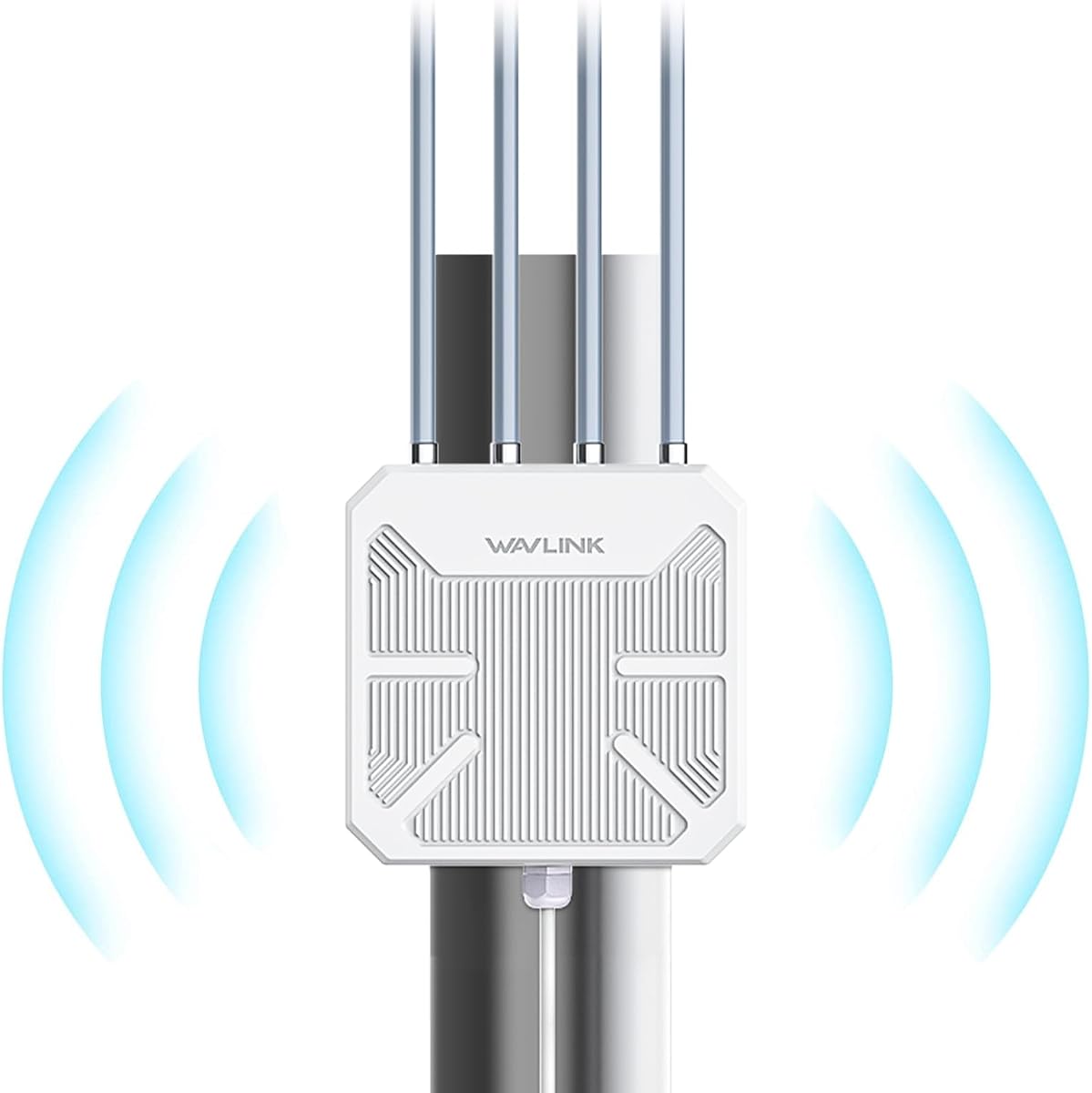
The WAVLINK AX3000 Outdoor Extender is built specifically for extending WiFi to gardens or yards. Rated at 4.2 stars it offers robust protection against rain and snow with an IP67 rating. It delivers modern WiFi 6 performance to ensure outdoor devices stay connected reliably.
We may earn a commission when you buy through this link, at no additional cost to you.
It supports speeds up to 2402 Mbps on the 5 GHz band which handles high definition video streaming outdoors. The four 8dBi detachable fiberglass antennas provide a radius of up to 300 meters in line of sight. You can power it via PoE so no electrical outlet is needed near the install spot.
Security is managed with WPA2-PSK and WPA3 support to keep your network safe from threats. The device operates in a wide temperature range making it suitable for various climates globally. Mesh mode allows you to merge this unit into a larger network easily if you use a compatible router.
Choose this extender if you need to cover a large backyard or an outdoor workspace with internet. It handles up to 256 connections which is great for events or large gatherings. Ensure you use a CAT5E cable or above for the best signal quality over distance.
The sealed casing protects internal components from moisture and dust ensuring long term reliability.
PoE support simplifies installation by combining data and power over a single ethernet cable.
We may earn a commission when you buy through this link, at no additional cost to you.
The TP-Link BE3200 is a forward looking extender designed to work with the latest WiFi 7 routers. With a rating of 4.2 stars it offers significant improvements in speed and latency compared to older standards. It is a great choice for tech enthusiasts wanting the best available now.
We may earn a commission when you buy through this link, at no additional cost to you.
It utilizes Multi-Link Operation to combine bands for enhanced throughput and lower latency. Speeds reach up to 2594 Mbps on the 5 GHz band which is ideal for 8K streaming. Four optimized antennas ensure strong coverage across 2400 square feet for large indoor spaces.
While it supports the latest protocols it does not include the 6 GHz band found in some high end routers. The Tether app helps you find the best placement quickly with an intelligent signal indicator. Security is maintained through CISA Secure-by-Design standards to protect your data.
If you have a WiFi 7 router and need an extender that matches its capabilities this is a top pick. It supports new devices like WiFi 7 phones and laptops effectively. Note that to use MLO features your main router must also support the same WiFi 7 standards.
Multi-Link Operation allows devices to use multiple bands simultaneously for faster and more stable connections.
Automatic connections to the strongest signal ensure uninterrupted coverage as you move around.
We may earn a commission when you buy through this link, at no additional cost to you.
The TP-Link RE815X AX5400 is designed for high density networks requiring maximum throughput. With a rating of 4.3 stars it supports a massive number of devices simultaneously without degradation. It offers the largest coverage in this roundup at 2800 square feet.
We may earn a commission when you buy through this link, at no additional cost to you.
It uses a tri-band design with two 5 GHz bands to distribute traffic more efficiently. This reduces congestion when many users stream or download at the same time. Four high-gain directional antennas and powerful FEMs ensure strong signal penetration throughout large homes.
AP mode allows you to use a wired connection to create a powerful WiFi hotspot easily. The Tether app keeps your firmware updated for optimal performance and security. It supports up to 96 devices which is excellent for smart homes with many IoT sensors and gadgets.
Consider this model if you have a very large home or many connected devices that slow down the network. It works well with TP-Link OneMesh routers for a seamless system. Ensure you check router compatibility if you rely on OneMesh features for network management.
Supporting up to 96 devices makes this unit ideal for smart homes or small offices with heavy usage.
The 2800 square feet coverage ensures even large multi-floor homes get consistent signal everywhere.
We may earn a commission when you buy through this link, at no additional cost to you.
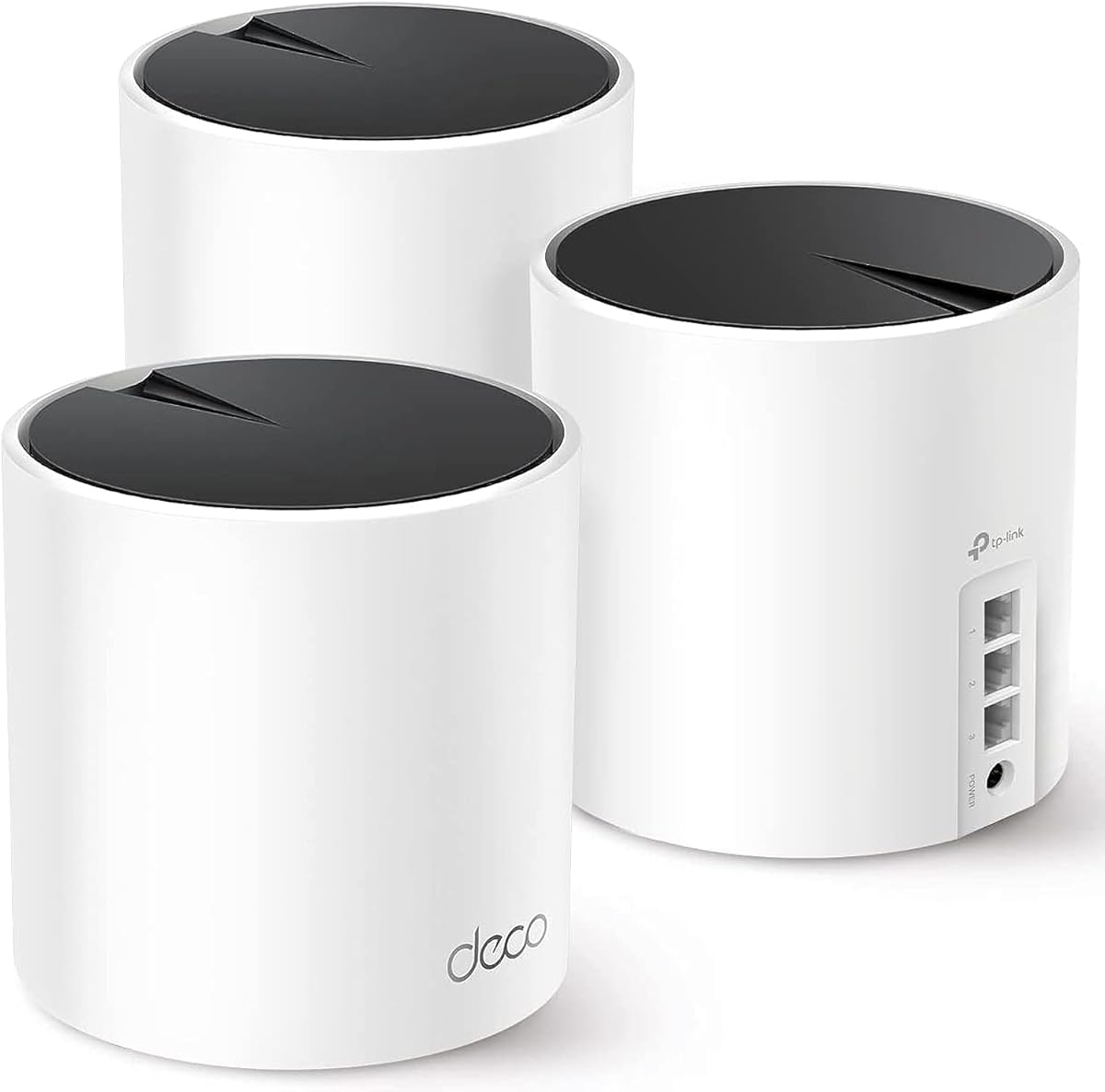
The TP-Link Deco X55 is a full mesh system rather than a traditional single extender unit. With a high rating of 4.4 stars it offers seamless connectivity across large homes up to 6500 square feet. It replaces your existing router to provide whole home coverage effectively.
We may earn a commission when you buy through this link, at no additional cost to you.
This 3-pack supports up to 150 devices which is far more than typical extenders can handle. Each unit has three gigabit ports allowing for flexible wired connections throughout the house. AI-driven mesh learns your home environment to optimize the network for unique layouts.
It includes TP-Link HomeShield for premium security services and parental controls to protect your family. Setup is managed through the Deco app which provides clear visual guidance for quick configuration. It works with most internet service providers for a universal solution to connectivity issues.
If you need a complete overhaul of your network for a very large home this mesh system is best. It is more effective than a single repeater at eliminating dead zones entirely. Ensure you have enough outlets for the three units to get the full coverage potential.
AI-driven mesh intelligently learns your network environment to provide the ideal WiFi path for your home.
HomeShield provides robust security services including network security and parental controls out of the box.
We may earn a commission when you buy through this link, at no additional cost to you.
This AC1900 WiFi Extender offers massive coverage capabilities for homes needing extended reach. With a perfect 5.0 rating it promises reliable performance for many connected devices simultaneously. It is designed to reduce dead zones in bedrooms and garages effectively.
We may earn a commission when you buy through this link, at no additional cost to you.
It supports up to 105 devices which is a high number for a single extender unit. The dual-band technology ensures stable speeds for streaming and gaming without interference. The intelligent LED signal indicator helps you find the optimal placement quickly for best results.
Setup is quick via the WPS one-touch connection which requires no technical skills to activate. The Ethernet port allows for wired connections to devices that benefit from stable wired speeds like TVs. It works with any router making it a versatile choice for most households.
If you have a large house with many smart devices this extender is a strong candidate. It covers up to 13880 square feet which is a vast area for indoor use. Ensure you place it halfway between your router and the dead zone for optimal signal extension.
Works with any router and gateway ensuring flexibility across different internet setups.
Supports up to 105 devices making it suitable for dense smart home environments.
We may earn a commission when you buy through this link, at no additional cost to you.
The WAVLINK AX1800 Outdoor Extender is a value driven option for extending WiFi to outside spaces. With a 4.4 rating it brings modern WiFi 6 speeds to your yard or patio reliably. It is tough enough to handle rain and snow with an IP67 weatherproof design.
We may earn a commission when you buy through this link, at no additional cost to you.
It offers speeds up to 1800 Mbps which is plenty for outdoor security cameras and streaming. The four 8dBi antennas provide a strong radius of up to 300 meters in open areas. You can power it via PoE so installation is flexible even without nearby power outlets.
It works seamlessly with Starlink adapters making it a good partner for rural internet setups. The included passive PoE adapter allows easy setup though it must be mounted indoors safely. Mesh mode helps you integrate this unit with other WAVLINK devices for better roaming.
Choose this model if you need to cover a yard or RV area on a budget. It handles up to 256 devices which is great for events or outdoor living. Remember to mount the PoE adapter inside to protect it from water exposure.
Seamlessly connects with Starlink Gen 2 and 3 for remote home internet extensions.
Mesh mode allows seamless roaming with a single network name for better outdoor coverage.
We may earn a commission when you buy through this link, at no additional cost to you.
Choosing the right extender involves matching technical capabilities with your home size and device needs. Understanding key factors ensures you select a model that delivers reliable coverage without wasting money on unused features.
The first factor to consider is the square footage your extender needs to cover. Larger homes require models with higher rated coverage like 2500 square feet or more to ensure signals reach distant rooms. Always check the product specifications for the maximum coverage range before purchasing.
Match the coverage area to your home size to avoid buying a unit that is underpowered for your space. If you have a large house look for models with high gain antennas for better reach.
Modern homes benefit from WiFi 6 or WiFi 7 standards which handle more devices efficiently. Older AC standards are cheaper but may bottleneck traffic in busy smart homes. Ensure the extender supports the same standard as your router for best compatibility.
Selecting a device with newer WiFi technology ensures future proofing for your internet network. It helps maintain faster speeds as you add more smart devices to your home setup.
Dual-band models offer both 2.4 GHz and 5 GHz bands to balance range and speed. Tri-band models add a second 5 GHz band to reduce congestion when many devices are active. Choose based on how many devices you connect simultaneously at home.
More bands generally mean better performance in crowded environments with high internet usage. Tri-band options are ideal for homes with many smart devices streaming simultaneously.
An Ethernet port allows you to connect devices directly for faster and more stable speeds. This is useful for gaming consoles or smart TVs that do not need wireless mobility. Look for Gigabit ports for high speed wired connections where available.
Using an Ethernet port ensures your critical devices get consistent bandwidth without wireless interference. It is a vital feature for stable streaming and online gaming experiences.
Extenders should be placed halfway between your router and the dead zone for best results. Ensure there is an accessible power outlet near the planned location to avoid extension cords. Proper placement is essential for the device to function as intended effectively.
Always follow the setup guide to find the optimal spot for maximum signal extension. Good placement ensures the signal reaches the target area with adequate strength and speed.
If you have a mesh system you may need an extender that supports mesh protocols like OneMesh. This allows the extender to act as part of the same network with seamless roaming. Check if your router supports mesh integration before buying a compatible extender.
Mesh compatibility simplifies network management and improves connectivity as you move through your home. It creates a unified network name for a smoother user experience across all rooms.
Modern extenders come with WPA3 or WPA2 encryption to protect your data from unauthorized access. Look for devices that adhere to security pledges like CISA Secure-by-Design for extra safety. Secure devices prevent hackers from accessing your network or connected smart gadgets.
Strong security is essential for protecting personal data and connected smart home devices effectively. Prioritize models with updated encryption protocols to ensure long term safety.
If you need to extend WiFi to a yard or patio choose a model designed for outdoor use. IP67 weatherproof ratings ensure the device can withstand rain snow and dust reliably. Indoor units will fail quickly if exposed to harsh weather conditions outside.
Outdoor specific models are built to handle temperature changes and moisture exposure long term. Always check the weatherproof rating before installing any unit outside your home.
To get the best performance place your extender halfway between your router and the area with weak signal. Plug it into a wall outlet and wait for the power light to stabilize before starting setup. Use the manufacturer app to connect it to your router securely.
Regularly update the firmware through the app to ensure you have the latest security patches and performance improvements. Avoid placing the device near metal objects or thick concrete walls that might block the signal path. Keep the vents clear of dust to prevent overheating during heavy usage.
If you notice slower speeds check the placement and try moving the unit slightly closer to your router. Reset the extender to factory settings if you encounter persistent connectivity issues after updating firmware. Follow the manual for specific LED indicator meanings to troubleshoot common problems easily.
A WiFi extender does not increase the internet speed provided by your ISP but it improves coverage. It helps you get closer to the full speed available by eliminating dead zones. If your router speed is capped the extender will not exceed that limit.
Most modern extenders are compatible with any standard WiFi router regardless of the brand. Check the product description for specific requirements like mesh protocols or WiFi standards. For mesh systems ensure the extender supports the same mesh technology your router uses.
Yes placement is critical for the extender to function effectively and provide strong signals. It should be located within range of your router but close enough to the target area. Avoid placing it inside cabinets or behind metal surfaces that block radio signals.
Some extenders support multiple bands or mesh features that allow them to work with complex networks. You can set up multiple extenders to create a larger network if they support roaming. However they usually connect to one main router to manage the traffic efficiently.
Traditional extenders can cut speeds by half because they must receive and retransmit data. However newer dual-band models use one band for backhaul to reduce this impact. Tri-band models perform even better by dedicating a separate band for communication with the router.
The terms are often used interchangeably to describe devices that amplify your existing WiFi signal. Both work by connecting to your router and retransmitting the signal to a wider area. Always check the technical specifications to see the actual performance capabilities of the model.
The number of supported devices varies by model but high end units support over 100 connections. Check the product specifications for the maximum device count before buying for your needs. A higher capacity ensures stable performance when many smart devices are active.
Yes outdoor units can be used inside but they are generally larger and more expensive. Indoor units are better optimized for internal walls and standard home layouts. Use outdoor models only when you need specific weatherproof features for the environment.
We have reviewed ten top range WiFi extenders that offer a mix of speed coverage and durability. The TP-Link AX3000 remains our top pick for its balanced performance and ease of use. Whether you need indoor reach or outdoor durability there is a model to fit your needs.
Prioritize features like WiFi 6 support and Ethernet ports if you have high speed needs and many devices. For large estates consider models with massive coverage areas to eliminate dead zones completely. Check if mesh compatibility matters to you for a seamless network across your home.
Remember that prices and availability can change so verify the current listing before you order. Always place the extender correctly to ensure you get the best performance from your investment. With the right device you can enjoy reliable internet in every corner of your property.