
NETGEAR Nighthawk WiFi 7 Router
4.3Editor score
9.3 Gbps Wi-Fi 7 speed
2500 sq ft coverage
Tri-band architecture
2.5 Gbps multi-gig ports
Discover the top long range WiFi routers for 2026. We compare speed, coverage, and features to help you choose the best device for your home network needs.
Finding a router that covers every corner of your home is essential for modern connectivity. Long range WiFi routers provide the signal strength and stability needed for streaming, gaming, and remote work without interruptions.
We evaluated ten top models based on real-world performance data, coverage area, and feature sets. Our analysis focuses on Wi-Fi 7, Wi-Fi 6E, and robust Wi-Fi 6 options to ensure you get the best value.
Each pick highlights specific strengths like multi-gig ports, mesh compatibility, or security tools. Keep in mind that pricing and availability change frequently, so verify current details before making your final purchase decision today.
4.3Editor score

4.3Editor score

4.3Editor score
This table compares the top ten long range WiFi routers side by side. We highlight key specifications like maximum speed, coverage area, and Ethernet port types to help you decide quickly.





The TP-Link BE6500 Dual-Band WiFi 7 Router stands out as a top choice for those seeking future-ready connectivity. It delivers optimized performance for the latest laptops and devices like the iPhone 16 Pro.
We may earn a commission when you buy through this link, at no additional cost to you.
With 6.5 Gbps total bandwidth and 4K-QAM, this router handles 8K streaming and AR/VR gaming effortlessly. Its 6 high-performance antennas ensure reliable connections for up to 90 devices at once.
While it is an investment, the inclusion of 2.5 Gbps ports and HomeShield security justifies the cost. It is a solid choice for homes needing maximum speed and reliability today.
Buy this if you want the latest Wi-Fi 7 tech and need strong coverage for many devices. It balances performance and features better than most competitors in its class right now.
Multi-Link Operation combines bands for faster throughput and lower latency during heavy usage.
TP-Link HomeShield offers parental controls and IoT protection to keep your network safe.
We may earn a commission when you buy through this link, at no additional cost to you.
The TP-Link AXE5400 brings the benefits of the 6 GHz band to your home. It offers up to 5400 Mbps speeds for faster browsing and simultaneous streaming tasks.
We may earn a commission when you buy through this link, at no additional cost to you.
Its Tri-Band design increases capacity by 4 times, making it perfect for households with many connected devices. The 1.0 GHz dual-core CPU ensures long-term reliability.
While the 6 GHz band is a premium feature, not all older devices will use it immediately. However, it future-proofs your network for upcoming upgrades.
Choose this if you need high capacity and low latency for gaming. It delivers a balanced mix of speed and stability for demanding networks.
The 6 GHz band provides more bandwidth and reduces interference for responsive gaming.
Optimal heat dissipation and high-speed memory keep performance consistent over time.
We may earn a commission when you buy through this link, at no additional cost to you.
The NETGEAR Nighthawk WiFi 7 Router RS90 offers an accessible entry point to Wi-Fi 7 technology. It provides 3.6 Gbps speed for streaming and gaming in small to medium homes.
We may earn a commission when you buy through this link, at no additional cost to you.
It pairs easily with your existing modem via ethernet and supports multi-gig plans. The app makes managing WiFi and running speed tests simple for anyone.
While it lacks some advanced features found in higher-end models, it covers essential needs like guest networks and pause device controls well.
Pick this if you want modern Wi-Fi 7 speeds without paying premium prices. It is a great value for average households needing reliable coverage.
1.2x faster than WiFi 6 for seamless video calls and gaming.
Use the Nighthawk app to manage your network from anywhere easily.
We may earn a commission when you buy through this link, at no additional cost to you.
The TP-Link AX5400 WiFi 6 Router is a strong performer with a 4.5 rating. It offers up to 5400 Mbps for 8K streaming and fast downloads all at once.
We may earn a commission when you buy through this link, at no additional cost to you.
Equipped with 4T4R and HE160 technologies, it delivers ultra-fast connections on the 5 GHz band. The improved vented areas help keep the router cool during long use.
Its USB 3.0 port adds value for private cloud storage and media sharing at home. It is a versatile option that works with all major internet service providers.
Buy this if you need solid WiFi 6 speeds and extra media features. It is a reliable choice for those not ready for WiFi 7 yet.
4T4R and HE160 enable ultra-fast 4.8 Gbps ultra connections.
Improved vented areas help unleash the full power of the router.
We may earn a commission when you buy through this link, at no additional cost to you.
The TP-Link AX6000 router lets you enter the multi-gig era with a 2.5G port. It offers up to 4804 Mbps on the 5 GHz band for fast internet.
We may earn a commission when you buy through this link, at no additional cost to you.
Eight high-gain antennas with Beamforming ensure vast coverage for your home. It connects more devices with lower latency thanks to MU-MIMO and OFDMA technologies.
Its OneMesh support allows flexible creation of a whole-home Wi-Fi network easily. You can even control the router via voice commands with Amazon Alexa.
Choose this if you have a multi-gig internet plan and need strong range. It balances high speed and broad coverage well for large homes.
2.5G Multi-Gigabit Port lets you enter the multi-gig era of wired connection.
Control your router via voice commands such as turning on guest Wi-Fi.
We may earn a commission when you buy through this link, at no additional cost to you.
The NETGEAR Nighthawk WiFi 7 Router offers up to 9.3 Gbps across three bands. It keeps up with growing connected homes needing streaming and video calls simultaneously.
We may earn a commission when you buy through this link, at no additional cost to you.
The added 6 GHz band gives your fastest devices their own lane so nothing slows down. Two 2.5 Gig LAN ports connect gaming rigs and NAS drives directly.
Security is a top priority here with automatic firmware updates and Advanced Router Protection. It is built to protect your family from hackers and identity theft.
Pick this if you need maximum speed and premium security for a large home. It is a top-tier choice for demanding users and tech enthusiasts.
2.4x faster than WiFi 6 across 2.4 GHz, 5 GHz, and 6 GHz bands.
2.5 Gig WAN port unlocks multi-gig internet plans for faster downloads.
We may earn a commission when you buy through this link, at no additional cost to you.
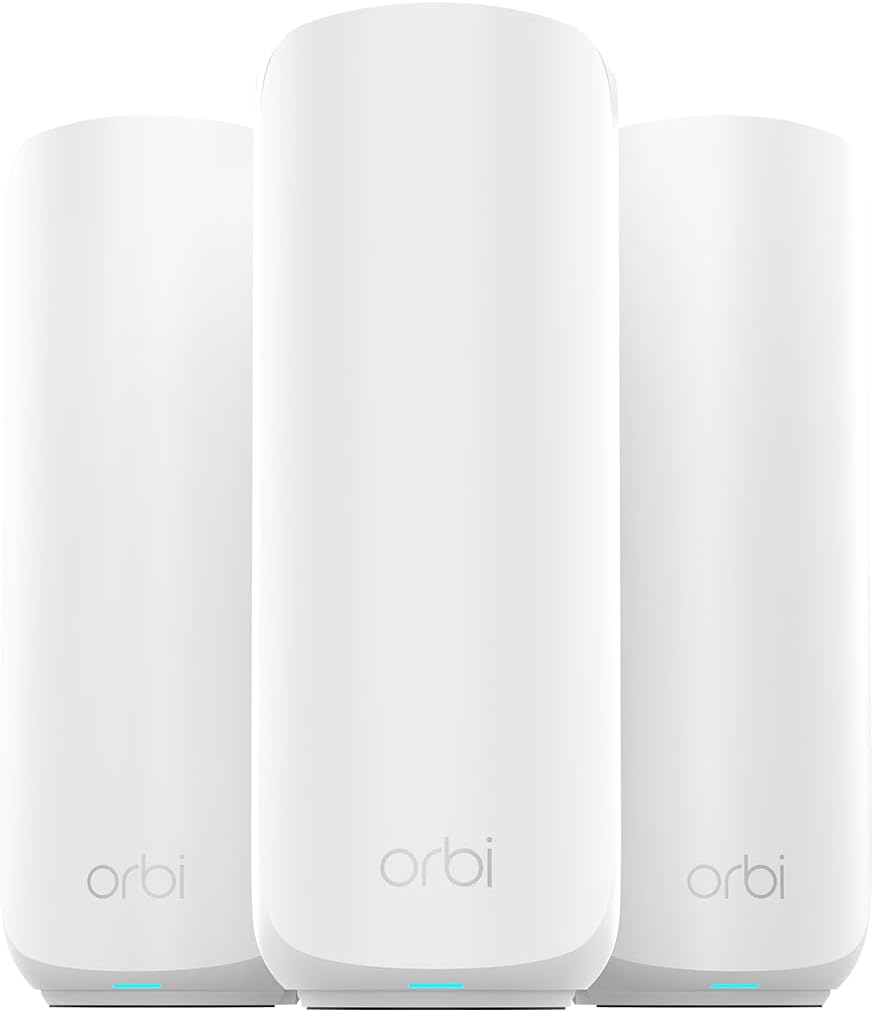
The NETGEAR Orbi 370 Series WiFi 7 Mesh System covers up to 6,000 sq ft with no dead zones. It links up to 70 devices on one network for everyone to stay online.
We may earn a commission when you buy through this link, at no additional cost to you.
Enhanced Backhaul helps deliver faster WiFi across your home so speeds stay fast. It is ready for plans up to 2.5 Gbps using any existing modem.
The guided setup via the Orbi app gets your mesh network running fast. You can add more satellites for larger or multi-storey homes easily.
Buy this if you need maximum coverage for a large property. It is the best option for eliminating dead zones in multi-story houses.
Blanket up to 6,000 sq ft in fast, reliable WiFi.
Up to 5 Gbps for 8K streaming and VR.
We may earn a commission when you buy through this link, at no additional cost to you.
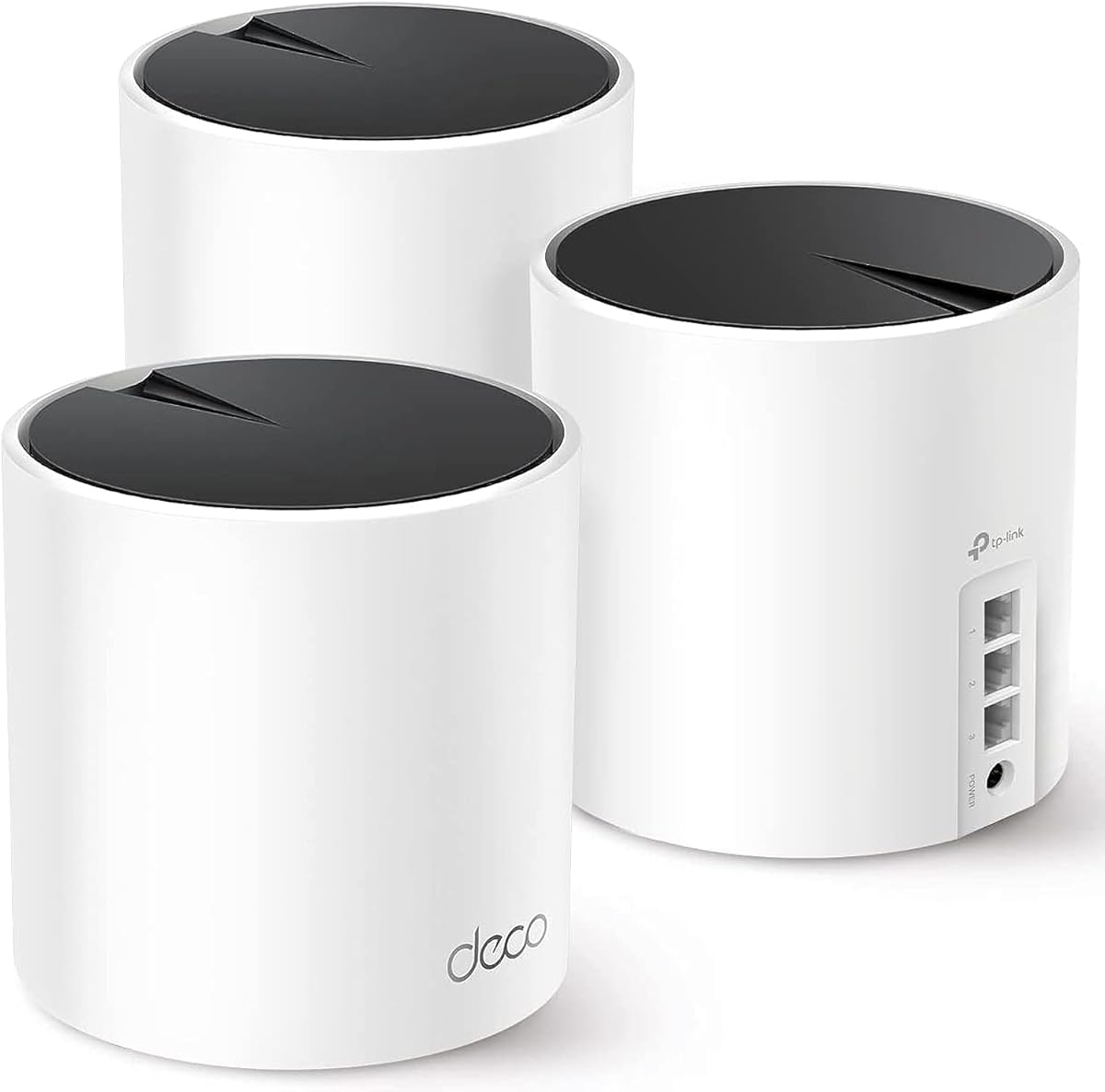
The TP-Link Deco X55 AX3000 WiFi 6 Mesh System eliminates weak WiFi for good. It covers up to 6500 square feet with seamless high-performance connectivity throughout.
We may earn a commission when you buy through this link, at no additional cost to you.
Each unit has 3 Gigabit Ethernet ports and supports wired backhaul for better speeds. The AI-Driven Mesh learns the network environment to provide ideal WiFi unique to your home.
With HomeShield included, you get network security and parental controls easily. It works with all major internet service providers for broad compatibility.
Choose this if you want a reliable mesh system at a reasonable price. It is a great value for large homes needing consistent signal.
Covers up to 6500 square feet with seamless high-performance Wi-Fi 6.
AI-Driven Mesh intelligently learns the network environment.
We may earn a commission when you buy through this link, at no additional cost to you.
The TP-Link Tri-Band BE9300 WiFi 7 Router features Multi-Link Operation and 320 MHz channels. It provides blazing-fast speeds of 5760 Mbps on the 6 GHz band.
We may earn a commission when you buy through this link, at no additional cost to you.
Full 2.5G WAN and LAN ports enable peak device performance and future-proof your network. A private IoT network boosts security for smart devices.
EasyMesh support lets you expand coverage easily without dead zones. It is backward compatible with all WiFi generations for broad device support.
Pick this if you need Tri-Band performance and advanced security features. It is a powerful router for those needing high capacity.
Up to 9300 Mbps across three bands.
Private IoT Network and HomeShield protect your devices.
We may earn a commission when you buy through this link, at no additional cost to you.
The TP-Link AC1200 Gigabit Dual Band WiFi Router is an affordable option for basic needs. It upgrades to 1200 Mbps high speed internet to reduce buffering.
We may earn a commission when you buy through this link, at no additional cost to you.
Full Gigabit Ports allow you to directly connect your wired devices at home. Advanced Security with WPA3 brings new capabilities to improve cybersecurity in personal networks.
It supports Access Point Mode to transform wired connections into wireless networks. It is an ideal wireless router for home setups on a budget.
Choose this if you need a simple and affordable router for small spaces. It offers reliable performance at a fraction of the cost of premium models.
Ideal for any internet plan and allow you to directly connect wired devices.
WPA3 security protocol brings new capabilities to improve cybersecurity.
We may earn a commission when you buy through this link, at no additional cost to you.
Choosing the right router involves balancing speed, coverage area, and advanced features. Here are key factors to consider for your specific needs.
Latest WiFi 7 offers the fastest speeds and lowest latency but requires new devices. WiFi 6E is a strong middle ground with access to the 6 GHz band. Older WiFi 6 and 5 are cheaper and sufficient for basic needs.
Pick the latest generation if you want future-proofing and have compatible devices.
Look for models that match your home square footage. A single unit may cover up to 3000 sq ft depending on antennas and design. Larger homes often need mesh systems to eliminate dead zones.
Ensure the router covers at least 10% more area than your home to handle interference.
Speed ratings like AX5400 or BE6500 show total theoretical bandwidth. Real-world speeds will always be lower due to distance and interference. Higher ratings help handle multiple devices simultaneously.
Choose a router with higher speed ratings if many devices stream or game at once.
Gigabit ports are standard but multi-gig ports like 2.5G are great for fast wired connections. Ensure there are enough LAN ports for your gaming consoles and PCs. Some models offer USB for storage.
Check port types to support your wired devices and internet plan.
More antennas often mean better signal distribution and range. High-gain antennas focus signal strength towards your devices. Beamforming technology helps optimize connections dynamically.
Select routers with high-quality antennas for stronger signal throughout the house.
Some routers work with mesh extenders to expand coverage later. Systems like Deco or Orbi offer whole-home setups from the start. Check if your router supports OneMesh or EasyMesh.
Choose mesh capable models if you anticipate needing extra coverage in the future.
Built-in security like WPA3 and HomeShield protects your network from threats. Look for parental controls and IoT protection features. Regular firmware updates keep security current over time.
Prioritize routers with strong security tools to keep family data safe.
Reputable brands offer better firmware support and customer service. Reviews can highlight reliability issues or long-term performance concerns. Warranty terms vary by manufacturer.
Research community feedback to ensure the model has a history of reliability.
Place your router in a central elevated position to maximize signal reach. Keep it away from thick walls, metal objects, or appliances that cause interference.
Update firmware regularly through the router app to ensure security and performance. Restart the device once a week to clear caches and maintain speed.
Manage connected devices via the app to pause access or prioritize traffic. Use guest networks for visitors to protect your main network security.
WiFi 7 offers faster speeds, lower latency, and support for wider channels. It works better with multiple devices and newer tech like 8K streaming. While not always necessary, it future-proofs your network significantly.
For homes over 3000 sq ft, a mesh system is often the best solution. It provides seamless coverage without dead zones compared to single routers. A mesh setup ensures every room gets a strong connection easily.
Moving the router to a central spot helps significantly. Using high-gain antennas or buying an extender can boost reach. Avoid placing it inside cabinets or near metal objects to improve performance.
Yes, these routers work with most cable, fiber, DSL, and satellite providers. They pair with your existing modem or gateway via ethernet. Bridge mode may be needed for some modem combos.
WPA3 encryption is essential for modern security. Built-in firewall tools and parental controls add layers of protection. Regular automatic updates ensure your router stays secure against new threats.
Yes, they support many IoT devices like cameras and smart bulbs. Private IoT networks separate these devices for better security. Ensure they have enough capacity for your growing smart home.
Our top picks like the TP-Link BE6500 and NETGEAR Nighthawk offer the best balance of speed and coverage. They handle demanding tasks like gaming and streaming without interruptions.
Consider your home size and internet plan when selecting. Mesh systems are ideal for large houses while single units work well for apartments.
Prices and stock change often so check current offers before buying. Your ideal router depends on specific needs and budget constraints.