
YOCTOSUN Magnifying Glasses with Light
4.5Editor score
Interchangeable lens design
Three LED lights included
Rechargeable built-in battery
Choosing the right magnifying glasses for computer monitors can transform your daily computing experience. Whether you need help reading small text or want to reduce eye strain during long sessions, a good screen magnifier provides the clarity you need.
We compared ten highly rated products based on optical quality, adjustability, and user comfort. Each option offers unique features like flexible necks, built-in lighting, or desktop mounting systems to suit different workflows and environments.
Every pick below highlights key strengths and real-world use cases to guide your decision. Keep in mind that prices and availability change frequently, so checking the current listings ensures you get the best value for your needs.
4.5Editor score

4.4Editor score
3.4Editor score
As an Amazon Associate we earn from qualifying purchases.
The following table provides a side-by-side comparison of all ten products, highlighting their core specifications and unique features to help you identify the best match for your specific monitoring and reading needs.


This product stands out as a versatile solution for those needing screen magnification across different devices. It uses high-definition optical technology to provide clear viewing without heavy distortion.
We may earn a commission when you buy through this link, at no additional cost to you.
The design focuses on flexibility, with pivot points that allow rotation over 180 degrees. This makes it easy to adapt to reading, gaming, or laptop work. The wooden frame adds a touch of style while remaining functional.
While it offers excellent optical clarity, finding the perfect angle might take a bit of experimentation. The product is not intended for medical vision correction but serves well for close-up tasks.
If you need a reliable screen magnifier that works on laptops and phones, this option delivers strong performance. It is a thoughtful choice for anyone looking to reduce eye fatigue during long usage sessions.
The high-definition lens ensures that text remains sharp and readable for extended periods without causing discomfort.
With multiple pivot points, you can rotate the device to find the most comfortable angle for your specific task.
We may earn a commission when you buy through this link, at no additional cost to you.
This headset offers a hands-free way to tackle detailed work with five interchangeable lenses. It includes bright LEDs that help illuminate dark areas during use. The battery is rechargeable which saves on replacement costs.
We may earn a commission when you buy through this link, at no additional cost to you.
The lenses range from low to high magnification power. They are made of durable acrylic resin with a wear-resistant surface. The rubber nose bridge allows for a custom fit that spreads pressure evenly.
Some users might need time to adjust the straps for perfect stability. The lighting is helpful but requires monitoring to ensure it stays charged for long tasks.
For hobbyists needing a reliable tool for crafts or repairs, this headset is a strong value. It balances affordability with versatile optical options to suit different precision needs.
Switch between magnification powers easily to match the task at hand whether sewing or watching repairs.
The ergonomic frame and adjustable straps help reduce fatigue during long periods of focused work.
We may earn a commission when you buy through this link, at no additional cost to you.
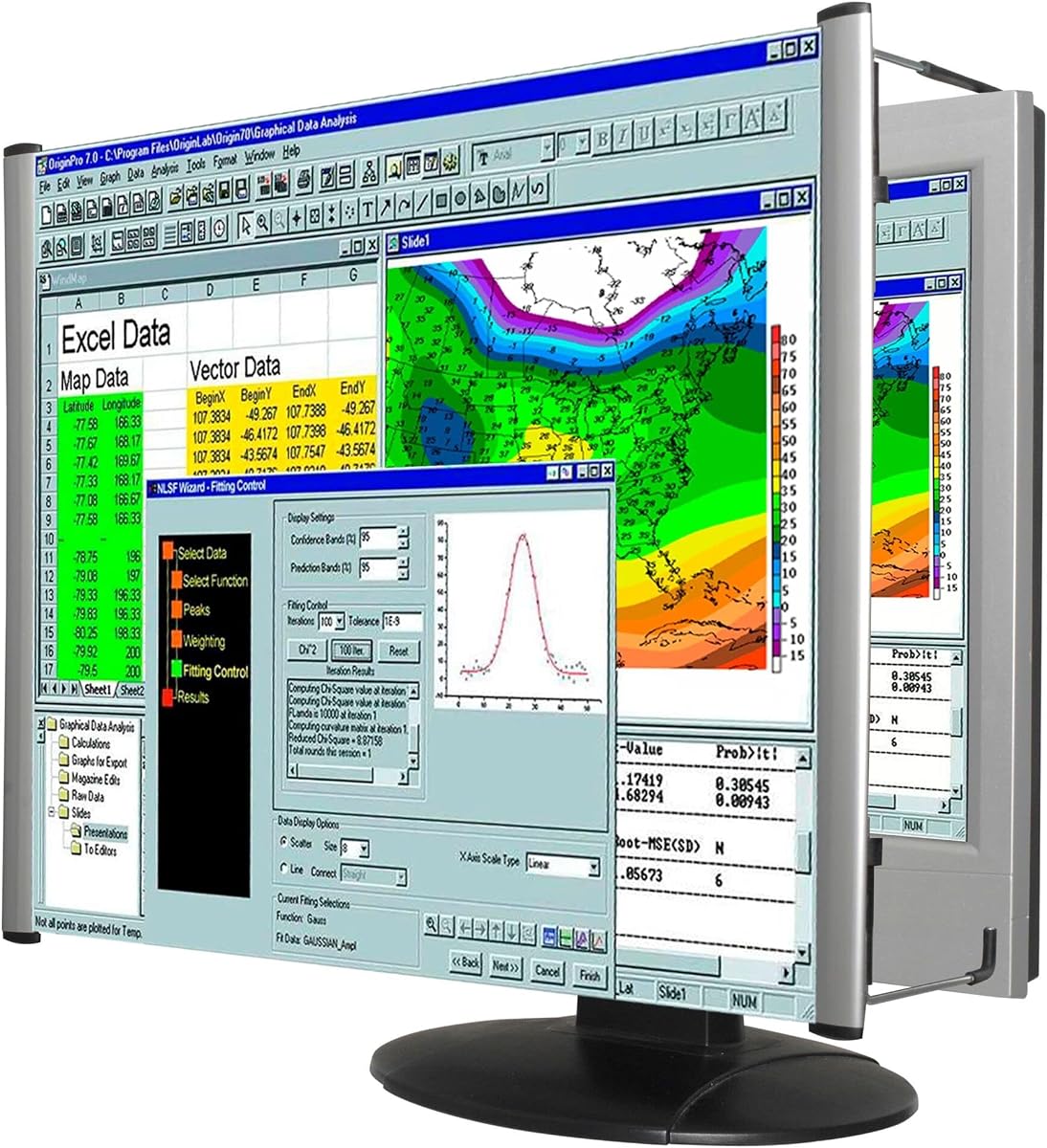
This magnifier is built specifically for larger widescreen monitors. It uses an optical grade acrylic lens to double image size for better readability. The design is patented and lightweight for easy mounting.
We may earn a commission when you buy through this link, at no additional cost to you.
Magnification changes by adjusting the distance from the display. This offers flexibility in how you view content on your screen. It is fully assembled and ready for office use environments.
The product is not intended for visually impaired users with specific medical needs. Strong lighting near the work area can cause distracting reflections in the lens grooves.
For office workers needing a simple way to enlarge on-screen text, this is a solid pick. It prioritizes ease of use and a clean look for professional desktop setups.
The dimensions match 21 to 22 inch monitors ensuring full coverage without gaps for optimal viewing.
Moving the magnifier closer or farther changes image size allowing flexible viewing comfort.
We may earn a commission when you buy through this link, at no additional cost to you.
This 21 inch amplifier adds 3D vision to your screen which enhances media experiences. It is made with HD acrylic lenses that reduce radiation and protect eyes. The angle is adjustable for both standing and lying down.
We may earn a commission when you buy through this link, at no additional cost to you.
Users find it useful for watching movies or reading small fonts. It is portable and collapses for easy storage. The design helps reduce discomfort from long screen focus.
It works best in low light and should not be used in bright sunlight. The viewing effect can be less obvious in reflective environments.
If you want a simple way to enjoy content on a laptop without complex setups this is ideal. It is a practical gift for seniors or anyone needing larger screen visuals.
The 3D amplifier allows for an immersive viewing experience ideal for movies and video content.
Its lightweight and collapsible design makes it easy to carry for outdoor or travel use.
We may earn a commission when you buy through this link, at no additional cost to you.
This magnifier offers four interchangeable lenses from low to high power. Each lens has a fixed focal length for optimal clarity. The device includes a rechargeable LED light to illuminate your workspace.
We may earn a commission when you buy through this link, at no additional cost to you.
The headband and silicone-coated nose bracket make it comfortable for long wear. The light direction adjusts to match your focus area. It includes a soft cloth for cleaning fingerprints off the lenses.
Adjusting the distance between lens and object is necessary for best focus. Users may find the lenses require frequent cleaning to maintain high definition.
This tool is excellent for detailed crafts like cross stitch or jewelry making. It helps improve low vision while keeping your hands free to work.
Choose from four lens options to match the level of detail needed for your specific task.
Designed like glasses with a silicone nose bridge it reduces pressure during extended use.
We may earn a commission when you buy through this link, at no additional cost to you.
These glasses provide 200% magnification with bright LEDs on each side for clear visibility. They include blue light blocking to reduce strain from screens. The battery charges quickly and supports long battery life.
We may earn a commission when you buy through this link, at no additional cost to you.
The polycarbonate lenses are durable and lightweight for daily use. They are designed for tasks like needlework or reading small labels. The ergonomic fit ensures comfort during extended periods.
With only one magnification level you might need to adjust your position for optimal focus. It is a simple solution for those who prefer lightweight eyewear.
For hobbyists needing a bit of help with fine details this is a practical choice. It protects your eyes and offers hands-free functionality.
Built-in blue light blocking technology helps prevent eye strain when used near electronic devices.
LEDs on both sides of the frame ensure your work area is evenly illuminated.
We may earn a commission when you buy through this link, at no additional cost to you.
This filter is designed for 22 inch widescreen monitors. It features a Fresnel lens with antiglare coating to reduce eye strain. The unit comes fully assembled so you can install it quickly.
We may earn a commission when you buy through this link, at no additional cost to you.
Magnification is adjustable but limited compared to other options. The lightweight design keeps the setup simple and unobtrusive on your desk. It helps increase readability for small text on screens.
It is best suited for office environments with standard aspect ratios. Users should measure their monitor to ensure compatibility before purchasing.
If you need a basic magnifier for a single office screen this works well. It balances simplicity with functionality for daily work needs.
The antiglare coating helps reduce reflections for clearer viewing during work hours.
Fully assembled design means you can start using it right away without complex tools.
We may earn a commission when you buy through this link, at no additional cost to you.
This magnifier uses a spring clamp to attach to desks or book edges. It offers up to 5x magnification for detailed tasks. The hose is bendable to let you position the lens where needed.
We may earn a commission when you buy through this link, at no additional cost to you.
The lens is designed for clarity and fits multiple uses like repair or reading. It stays stable on the desk and takes up minimal space. It is a great helper for seniors or hobbyists.
The clamp works best on flat edges and might struggle with thick or rounded surfaces. Users should check their desk thickness before purchase.
For those needing a simple and adjustable magnifier this option is reliable. It keeps your hands free while providing clear views for close work.
The alloy spring clamp ensures the magnifier stays in place during use.
The bendable hose allows you to adjust height and angle for comfort.
We may earn a commission when you buy through this link, at no additional cost to you.
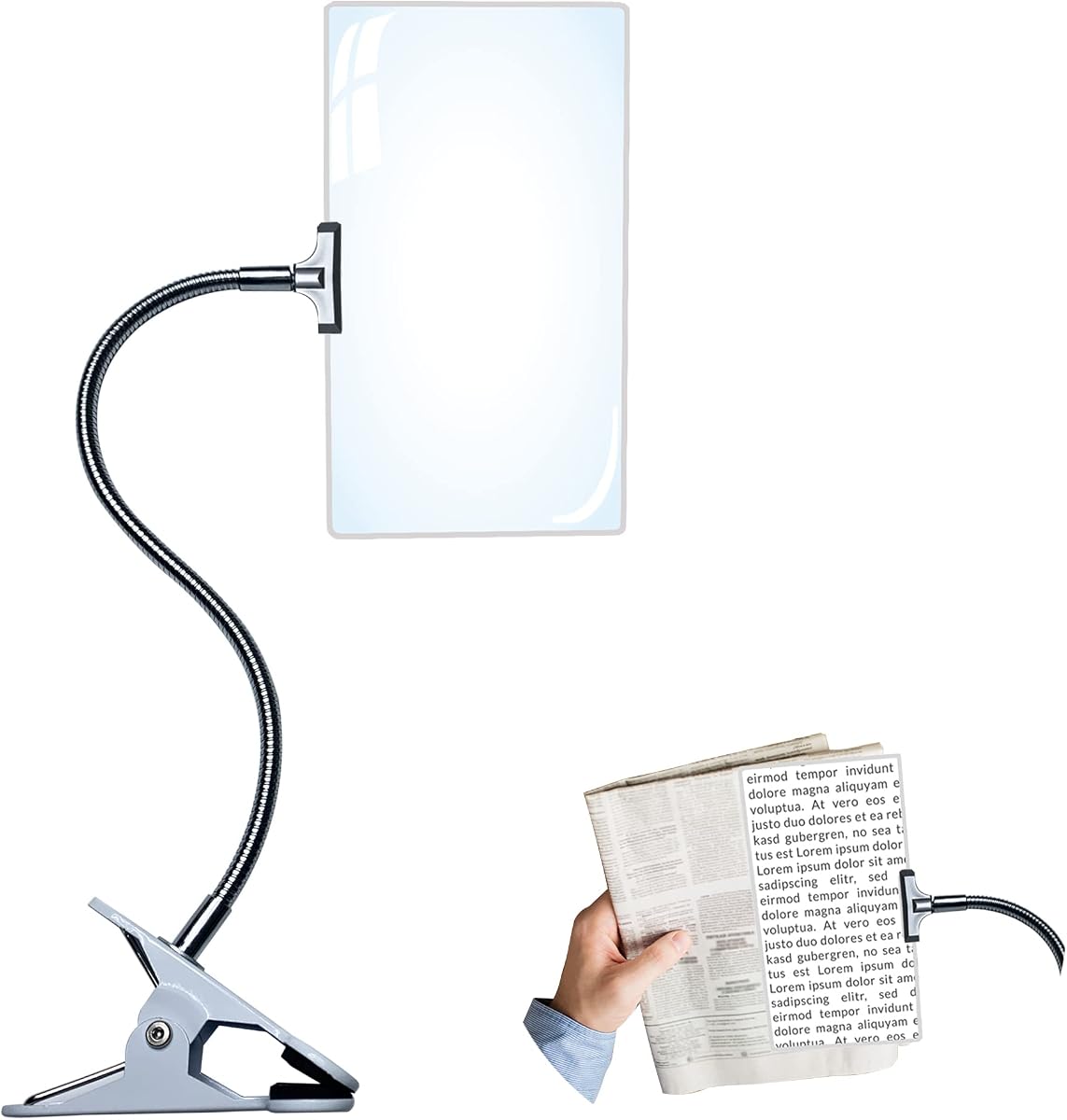
This large magnifier covers a full page for easy reading. It uses a flexible gooseneck to adjust position. The clip holds it securely on desks or beds for hands-free use.
We may earn a commission when you buy through this link, at no additional cost to you.
The 4X magnification helps enlarge text without distortion. It is lightweight so it stays in place without falling. The plastic lens is durable and scratch resistant for long use.
The large size might not fit smaller tables easily. Users should ensure they have enough space to use it comfortably.
For seniors or anyone needing a wide viewing area this is helpful. It reduces the need to hold a magnifier during long reading sessions.
The 10×6 inch lens allows you to view entire pages of text or maps at once.
The 360 degree gooseneck lets you angle the lens to any comfortable height.
We may earn a commission when you buy through this link, at no additional cost to you.
This magnifier uses optical grade PVC for clear images. The gooseneck is 14 inches long for wide flexibility. It can be clipped to a stand or held as a handheld tool.
We may earn a commission when you buy through this link, at no additional cost to you.
The large viewing area covers enough space for detailed crafts. It is lightweight and easy to move around a workspace. The design helps reduce wrist strain during long projects.
The PVC lens is less prone to breaking than glass. Users should handle it carefully to avoid scratching during use.
If you need a versatile magnifier for embroidery or painting this fits well. It provides a clear view and adjustable positioning for any task.
Superior PVC material ensures minimal distortion for accurate color and detail in crafts.
You can switch between clip-on and handheld modes as your work requires.
We may earn a commission when you buy through this link, at no additional cost to you.
Selecting the right magnifying glasses for computer monitors involves understanding your specific needs. This guide explains key factors to consider so you can make an informed choice.
High-quality lenses ensure clear images with minimal distortion. Look for optical grade materials like acrylic or PVC that resist scratches and maintain clarity over time.
Prioritize products with clear optical ratings to reduce eye strain and improve readability.
Different tasks require different magnification levels. Check the power range and whether lenses are adjustable or fixed to match your specific needs.
Select a magnification power that provides clear detail without making text too blurry or crowded.
A flexible gooseneck or adjustable angles allow you to position the lens for comfort. This helps reduce neck and wrist strain during use.
Choose options with multiple pivot points or bendable designs for optimal viewing angles.
Hands-free designs let you work without holding the device. This is essential for tasks that require both hands like sewing or repair.
Opt for models with stable clips or ergonomic frames that stay securely in place.
Built-in LED lights help illuminate dark areas and reduce shadow issues. Rechargeable batteries are convenient for extended use.
Look for adjustable brightness settings to match your environment and task requirements.
If you travel or move between rooms, a collapsible or lightweight design is valuable. Ensure the size fits your workspace comfortably.
Pick a size that balances viewing area with ease of transport and storage.
Sturdy materials like metal clamps or reinforced plastics extend the product life. Check for scratch-resistant lenses and robust frames.
Invest in products made from durable materials to ensure long-term reliability.
Fingerprints and dust can reduce clarity. Choose models that come with cleaning cloths or have smooth surfaces that are easy to wipe.
Regular maintenance keeps the lenses clear and extends the usability of your magnifier.
Position the magnifier so that the lens is close enough to the screen to enlarge text but far enough to maintain focus. Adjust the angle to minimize glare from your light source.
Clean lenses regularly with a soft cloth to remove fingerprints and dust. Avoid using harsh chemicals that could scratch or damage the optical surface.
If your product has a rechargeable battery, charge it fully before first use and monitor levels during long sessions to ensure uninterrupted visibility.
Not all models fit every monitor. Check the specified dimensions and aspect ratios to ensure compatibility with your screen. Some products are designed for specific sizes like 21 or 22 inch displays.
Most screen magnifiers work well with touch screens but may interfere slightly with touch sensitivity. Test the product to ensure it does not block your ability to interact with the display.
Many models include rechargeable batteries for built-in lighting. Always check the product description for power source details and charging cable availability.
Adjustment methods vary. Some models use interchangeable lenses while others allow you to change the distance between the lens and the screen. Follow the product instructions for best results.
Yes, when used correctly they can reduce eye strain by enlarging text. However, take regular breaks and adjust brightness to avoid overuse discomfort.
Absolutely, many models are designed for multiple uses including books and crafts. Look for flexible stands or handheld options to adapt to different tasks.
Our top picks highlight the best options across different needs. Whether you need a premium filter or a budget-friendly hands-free headset there is a solution for your workflow.
Prioritize optical clarity adjustability and comfort when selecting a product. Ensure it matches your monitor size and the tasks you perform most often.
Remember to check current availability and prices since these details can change. A well-chosen magnifier can greatly improve your daily computing experience.