
Square Reader for magstripe (USB-C)
4.6Editor score
Works with Apple devices and USB-C
Free Point of Sale app included
Quick setup with no commitments
This guide compares the top credit card readers for phones in 2026, evaluating features, compatibility, security, and ease of use to help small businesses
Mobile payment processing has become essential for modern businesses operating on the go. A reliable credit card reader for phones allows merchants to accept payments anywhere using their smartphone or tablet device. Choosing the right hardware ensures smooth transactions and improved customer satisfaction.
We have evaluated ten leading credit card readers available today based on connectivity, security, and software integration. Our comparison considers real-world usability for small businesses, freelancers, and service providers who need flexible payment options without bulky terminals.
Each pick highlights specific strengths like Bluetooth pairing, chip support, and app compatibility to match different operational needs. Note that product availability and pricing may fluctuate over time, so verify current details before making your final purchasing decision today.
4.6Editor score

4.5Editor score

5.0Editor score
The following table provides a side-by-side overview of each reader supported key specifications including connectivity options, supported card types, and platform compatibility to help you quickly identify the best fit for your business operations.




The Square Reader for contactless and chip (2nd Generation) stands out as the top choice for modern mobile merchants. With a 4.5 star rating it delivers reliable performance for businesses needing versatile payment acceptance. Its ability to handle contactless and chip transactions ensures compliance with current security standards.
We may earn a commission when you buy through this link, at no additional cost to you.
Key strengths include enhanced connectivity that keeps the device paired securely with your mobile device. The extended battery life supports all day use without constant recharging. Offline payments allow you to continue taking transactions for up to twenty four hours even when internet access is unavailable.
While it costs more than basic magstripe readers the added functionality justifies the investment for most small businesses. You must rely on the Square Point of Sale app which may limit flexibility for those using other software. However the integrated fraud prevention and dispute management add significant value.
This reader is ideal for retail shops food vendors and service providers who need speed and security. If you want a seamless experience with no monthly fees and quick setup this device is the recommended pick for reliable mobile payments today.
Data security and twenty four seven fraud prevention come at no extra cost with this reader ensuring customer trust and business protection.
Bluetooth pairing ensures a stable connection with improved range and reliability for smoother transactions during busy periods.
We may earn a commission when you buy through this link, at no additional cost to you.
For those seeking an affordable solution the Square Reader for magstripe (USB-C) offers excellent value. With a 4.6 star rating it provides a simple way to start accepting card payments using your phone. It connects directly via USB-C or Lightning for immediate use without batteries or pairing.
We may earn a commission when you buy through this link, at no additional cost to you.
The free Square Point of Sale app lets you manage sales inventory and digital receipts all in one place. You can set up quickly with no long-term commitments and get your money as soon as the next business day. This makes it perfect for testing new markets or seasonal sales.
The main limitation is that it only reads magstripe cards which lack the security of chip technology. Businesses must ensure they are in compliance with local regulations regarding card data security. However for low volume sellers this cost effective option meets basic needs efficiently.
Choose this reader if you need a low cost way to accept payments quickly without complex hardware. It is best suited for small vendors or freelancers who prioritize budget over advanced contactless capabilities in their daily operations.
Download the app create an account and start taking payments anywhere with no installation or training required.
Track your sales manage inventory and accept tips through a single free app designed for small business growth.
We may earn a commission when you buy through this link, at no additional cost to you.
This 2-in-1 Smart Card Reader specializes in handling secure identity documents like CAC and PIV cards alongside standard bank cards. It is ideal for government contractors or field personnel needing reliable access control. The integrated USB-A and USB-C heads eliminate the need for extra adapters during travel.
We may earn a commission when you buy through this link, at no additional cost to you.
It works on Windows Mac OS Linux and Android without requiring driver installation for immediate use. Certifications including FCC CE and Microsoft WHQL ensure it meets high security requirements for data reading. The LED light and buzzer provide clear prompts when a card is successfully read.
Note that this device is not intended for general retail credit card processing and does not include middleware software. You will need to install official card management tools for specific applications like tax declaration or access control. This makes it a niche product for specialized identity verification tasks.
Select this reader if your business involves military or government authentication needs. Its durability and broad OS support make it a reliable tool for field verification where standard credit card readers cannot handle secure identity documents effectively.
Works seamlessly across Windows Mac Linux and Android devices with standard CCID hardware compatibility for common tools.
A compact body with a reinforced strain-relief cable supports high-speed transmission for daily office or field trips.
We may earn a commission when you buy through this link, at no additional cost to you.
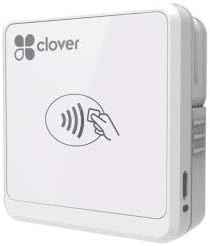
The Clover GO (3rd Generation) receives a perfect 5.0 star rating for its robust features and user-friendly design. It pairs wirelessly with any smartphone via Bluetooth making it fully compatible for on the go businesses. End to end security protects both your customer and business data from start to finish.
We may earn a commission when you buy through this link, at no additional cost to you.
You can set custom percentage amounts for tips and create multiple tax rates for different items you sell. The system allows you to email or text receipts to customers ensuring a paperless experience that modern buyers prefer. Employee permissions let you control who sees sensitive business data under the hood.
It requires processing through SwyftPAY which is limited to US based businesses only. The dock is sold separately which may add to the overall cost of your setup. However the integration of hardware and software provides a complete solution for mobile merchants needing advanced control.
This device is best for businesses that want a polished POS system in their pocket. If you need customizable tax settings secure transactions and employee management capabilities this premium reader offers a comprehensive experience for growing small businesses.
From card acceptance to transaction completion all data remains protected ensuring trust between you and your customers.
Control employee access and manage business settings easily with intuitive tools designed for operational efficiency.
We may earn a commission when you buy through this link, at no additional cost to you.
The Square Terminal is more than a simple reader it is a complete point of sale system in one device. It allows you to ring up sales accept payments and print receipts without needing a separate phone. With a 4.5 star rating it delivers consistent performance for counter or mobile use.
We may earn a commission when you buy through this link, at no additional cost to you.
You can process chip cards in just two seconds ensuring quick checkout times for customers. The built-in battery is designed to last all day so you can work cordlessly anywhere in your store. Get your money as soon as the next business day with low transparent rates.
While it is more expensive than simple card readers it eliminates the need for additional hardware like phones or printers. This makes it ideal for businesses that want a dedicated system without relying on personal devices. It is particularly useful for busy retail environments.
Consider this terminal if you need a standalone device for reliable daily operations. The combination of speed security and ease of use makes it a powerful tool for businesses looking to streamline their payment processes effectively.
Ring up sales and accept payments independently without depending on a mobile phone for processing transactions.
Process chip cards in just two seconds to keep lines moving and improve customer satisfaction during busy times.
We may earn a commission when you buy through this link, at no additional cost to you.
The SumUp Plus Card Reader provides a straightforward solution for accepting payments with Bluetooth and NFC support. It works with the free SumUp App on your smartphone or tablet to start accepting transactions immediately. There are no hidden fees and no long-term contracts involved in using this device.
We may earn a commission when you buy through this link, at no additional cost to you.
You can simply pay a flat rate per in-person transaction which simplifies budgeting for small businesses. The reader accepts all major credit and debit cards ensuring you do not miss out on sales. However the rating of 3.8 suggests some users have experienced connectivity issues or support delays.
While it is easy to use the lack of detailed support compared to larger brands might be a drawback for some. If you value simplicity and low fees over advanced features this could be a suitable option. It remains a mobile card reader that accepts payments anywhere and anytime.
Choose this reader if you want a simple no-commitment way to start taking payments online. It is best for occasional sellers who need basic functionality without complex setup or ongoing fees associated with traditional merchant accounts.
Pay a single low rate with no hidden fees or contracts ensuring clear costs for every transaction you process.
Use the free app on your smartphone or tablet to start accepting transactions right away without extra tools.
We may earn a commission when you buy through this link, at no additional cost to you.
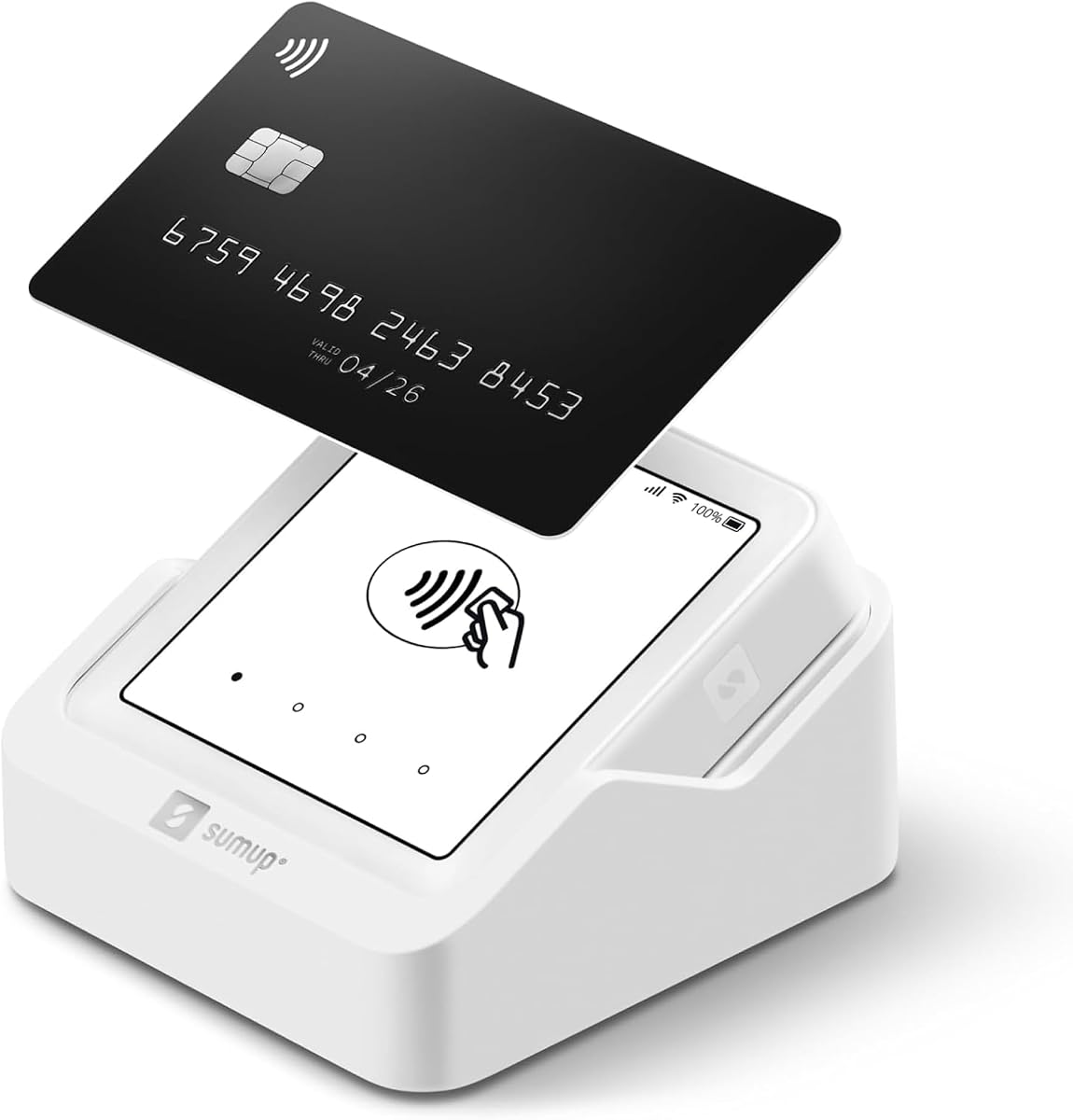
The SumUp Solo offers a full touch-screen interface that allows you to accept payments without a phone. A free SIM card and mobile data mean you can process transactions anywhere with a strong Wi-Fi connection. It is a truly portable device designed to keep you in control of your business on the go.
We may earn a commission when you buy through this link, at no additional cost to you.
You get great battery capability with an additional charging station included for extended use. US-based support is available through phone email and chat when you need assistance. However the rating of 3.5 indicates some users may face challenges with reliability or interface responsiveness.
Fast and hassle-free setup is available upon registration on the SumUp website or mobile app. While it simplifies hardware needs by removing the phone dependency the lower rating suggests careful consideration is needed. It is a solid option for those wanting a dedicated payment terminal.
Consider this device if you prefer a standalone unit with built-in connectivity. The included SIM and touchscreen make it self-contained but check current reviews to ensure it meets your reliability standards before purchasing.
Free SIM card and mobile data allow you to process payments anywhere without needing a separate smartphone or router.
Reach US-based support through phone email and chat to resolve issues quickly when you are managing business operations.
We may earn a commission when you buy through this link, at no additional cost to you.
The Clover GO (Newest Model) connects wirelessly with any smartphone via Bluetooth making it compatible for mobile use. End to end security protects data from the moment a card is accepted through the transaction process. It allows you to set custom percentage amounts for tips and multiple tax rates for your products.
We may earn a commission when you buy through this link, at no additional cost to you.
You can email or text receipts to customers giving them the way they want to receive documentation. Employee permissions let you manage who sees business data easily. However the 3.6 rating suggests some users have faced issues compared to the 3rd Generation version.
It requires processing through Powering POS which is limited to US based businesses only. Contact support if you have questions about integration and compatibility. The focus on business control and security remains consistent with the brand's reputation for mobile solutions.
Choose this if you are already using Powering POS or plan to adopt their processing. It offers a complete mobile experience but verify compatibility with your existing setup before purchasing to avoid integration issues.
Protect your customer data and control employee access with robust security and permission management tools included.
Set custom percentages and tax rates for different items to streamline your checkout process accurately.
We may earn a commission when you buy through this link, at no additional cost to you.
The Clover Go Contactless Reader supports EMV and chip transactions along with contactless options for fast checkout. It works with iOS and Android devices without requiring a traditional merchant account setup. This makes it accessible for new sellers looking to start accepting payments quickly.
We may earn a commission when you buy through this link, at no additional cost to you.
However quantities of this version are limited and may be end of life with fulfillment varying by current stock. Orders may be fulfilled with the most current version of Clover Go which could change expected features. The 4.0 rating reflects solid performance for contactless needs but availability is a concern.
If you need a simple contactless solution this reader provides good value. Ensure you check current stock levels before ordering to confirm you receive the version you need. It remains a viable option for small transactions needing fast payment acceptance.
Accept tap and chip cards with ease to speed up your checkout process for customers preferring contactless options.
Start taking payments without setting up a traditional merchant account making it simpler for new businesses.
We may earn a commission when you buy through this link, at no additional cost to you.
The Clover Go Bluetooth Reader (3rd Gen) offers secure payment processing with end to end data protection. It works with any Clover account ensuring compatibility with existing Clover infrastructure. You can set custom percentage amounts for tips and create multiple tax rates for the things you sell.
We may earn a commission when you buy through this link, at no additional cost to you.
It does not require a merchant account which simplifies entry for new sellers. However the 3.6 rating suggests some users may experience connectivity or usability issues. Verify current availability and support options before making your purchase to ensure it meets your expectations.
This reader is best for those already invested in the Clover ecosystem needing a portable solution. The combination of security and flexibility makes it a good option for mobile payments but check reviews to confirm performance reliability.
End to end security protects your data from the moment a card is accepted through the transaction process.
Set custom tip and tax rates easily to match your specific business needs and pricing structures.
We may earn a commission when you buy through this link, at no additional cost to you.
Selecting the right mobile payment device depends on several key factors that impact daily operations and security. This guide outlines essential considerations to help you narrow down your options effectively.
Ensure the reader supports chip, contactless, and magstripe cards to meet customer preferences. Modern devices should accept Apple Pay, Google Pay, and EMV chip transactions to stay compliant and secure.
Prioritize readers that support tap-and-pay options to speed up checkout and reduce contact.
Choose between Bluetooth, USB, or Wi-Fi connectivity based on your device type. Bluetooth offers wireless mobility but may drain battery, while USB provides stable power without pairing.
Bluetooth or USB-C options offer the best balance for most mobile business needs.
Verify that the reader works with your smartphone operating system like iOS or Android. Some devices are limited to specific ecosystems which may restrict your app choices.
Select a reader that matches your phone to avoid integration issues.
Compare transaction fees, monthly costs, and contract requirements across different providers. Some readers have flat rates per transaction while others include hidden setup fees.
Opt for transparent pricing models to avoid unexpected costs over time.
Look for end-to-end encryption and PCI compliance to protect customer data. Strong security features prevent fraud and ensure regulatory compliance.
Choose devices with built-in fraud prevention tools to safeguard transactions.
Consider battery life if you use the reader for extended periods away from power. Portable designs with rechargeable batteries support on-the-go selling.
Ensure the device lasts through your busiest work hours.
Check that the accompanying app offers features like inventory management and receipt tracking. Seamless integration with your workflow improves business efficiency.
Choose software that matches your sales management needs.
Look for responsive support channels and warranty coverage to resolve technical issues quickly. Reliable service ensures minimal downtime when problems arise.
Prioritize brands with strong reputations for customer assistance.
Download the required app and create an account to activate your device. Follow on-screen instructions to pair the reader via Bluetooth or connect it physically to your phone.
Test a transaction with a card to ensure the connection is stable and the device is recognized. Keep the reader updated to latest firmware to maintain security and functionality.
Clean the device regularly with a dry cloth and store it in a protective case when not in use. Avoid exposing it to extreme temperatures or moisture to extend its lifespan.
Most modern readers are compatible with both iOS and Android devices but you should check the specific product details. Some devices may require specific app versions or Bluetooth standards to function correctly. Always verify compatibility with your exact phone model before purchasing.
Many card readers have no monthly fees but you will pay a transaction fee per sale. Some providers may offer monthly plans with lower rates depending on your sales volume. Review the pricing structure carefully to understand all costs involved.
Yes most newer readers support contactless payments including tap and pay options. Look for devices that explicitly mention NFC or contactless support in their specifications. This ensures customers can use digital wallets and contactless cards.
If your phone battery dies you will be unable to process payments unless the reader has its own battery. Some standalone devices allow offline transactions for a limited time. Consider devices with their own power sources to avoid this interruption.
Many providers include processing services within their app so you do not need a separate merchant account. However some systems may require you to register for their specific processing plan. Check the product description to see if processing is included.
Top mobile readers use end-to-end encryption to protect card data during transactions. They are designed to be PCI compliant to meet industry security standards. Always use the official app and keep your software updated for maximum security.
The Square Reader for contactless and chip stands out for reliability and features while the magstripe version offers budget-friendly simplicity. Clover GO devices provide advanced management tools for businesses needing detailed control over their operations.
Prioritize security compatibility and ease of use when selecting your mobile payment device. Your choice should align with the volume of transactions you process and the features your business requires daily.
Prices and availability change frequently so check current listings before buying. Verify all specifications and support terms to ensure you make the best decision for your business needs.